
A single plant expansion rarely stays with one team. Operations raises the need, engineering scopes the work, finance reviews the spend, procurement manages vendors, and leadership needs progress without chasing status.
Manufacturers need a governed way to manage the full CapEx lifecycle, from request to closeout, while approvals, documents, schedules, and reporting stay inside Microsoft 365.
That structure matters for plant expansions, production line upgrades, equipment replacement, facility improvements, energy projects, and compliance-driven investments.
Key Takeaways
-
Capital project management software must control requests, approvals, execution, reporting, and closeout.
-
Microsoft 365 provides strong building blocks, but manufacturing PMOs still need a repeatable operating model.
-
Power Automate, SharePoint Online, Microsoft Teams, and Power BI support the workflow when project data follows a standard structure.
-
BrightWork 365 helps Microsoft-first manufacturers standardize intake, templates, workflows, dashboards, and adoption.
Why Manufacturing Capital Projects Need a Structured PMO Layer
Capital project management software matters because manufacturing CapEx work carries governance pressure that standard task tracking cannot absorb. A line upgrade can affect production schedules.
A facility project can create safety exposure. An equipment replacement can involve finance controls, supplier coordination, site disruption, and leadership reporting.
Governance Complexity Across Departments
CapEx project tracking breaks down when finance tracks budget in one file, engineering tracks scope in another, and the project manager maintains status in email. Budget may look controlled while delivery health remains unclear.
A PMO needs a consistent way to see request age, approval stage, schedule variance, open risks, document readiness, change decisions, and closeout status.
Portfolio Visibility Across Sites
Portfolio pressure compounds the issue. One site may run a line upgrade while another manages equipment replacement or a facility expansion. Manufacturing capital projects need capital project portfolio management that compares work across sites and business units.
Without standard fields, leaders cannot see which projects carry the highest risk, which approvals are waiting, or which plant needs support.
Document Control and Compliance Risk
Documentation adds another layer of risk. Manufacturing projects produce drawings, specifications, vendor records, sign-offs, change decisions, safety notes, post-project findings, and project documents for handover.
If those records scatter across email and local folders, closeout turns into a document hunt. Completed project records also help teams review delivery patterns, vendor performance, schedule assumptions, and benefits realization before approving the next investment.
The CapEx Lifecycle Manufacturers Need to Control
A strong CapEx process connects the first request to final handover. The process should avoid a finance-only capital budgeting lens. The main focus remains project delivery and portfolio control.
1. Submit the request
The request should capture project purpose, site, sponsor, business driver, expected value, estimated cost range, risk, urgency, project type, and supporting documents.
2. Review and approve
Approval routing should reflect cost, site, risk level, and business unit. Plant leadership, finance, operations, engineering, and executive sponsors may all need input before execution starts.
3. Launch from a template
An approved request should become a structured project workspace with predefined tasks, documents, risks, status fields, and reporting rules. Plant expansion project management needs a different template than equipment replacement or a compliance project, but each template should feed the same portfolio model.
4. Execute and govern
Project teams need schedule tracking, issue escalation, vendor coordination, status updates, and decision logs. Governance should help the project manager keep work moving without adding unnecessary admin.
5. Report across the portfolio
Standard project data supports Power BI project portfolio dashboards for cost exposure, stage, health, risk, schedule variance, sponsor, and site visibility.
6. Close out and improve
Closeout should capture final documentation, benefits review, post-project findings, asset handover, open obligations, and portfolio review. Future CapEx planning improves when past projects leave usable evidence behind.
How Microsoft 365 Supports Capital Project Management
Many manufacturers already use Microsoft 365 for communication, document storage, reporting, and workflow automation. That foundation can support Microsoft 365 project management, but the PMO still needs standard data, templates, approval rules, and governance.
Intake and Approval Workflows
Power Apps can support structured request forms for site, sponsor, cost range, risk level, business driver, and supporting documents. Power Automate can support project request management and approval workflows by routing decisions, sending notifications, recording approvals, and triggering reminders.
Automation still needs governance. Manufacturers must define approval thresholds, required fields, escalation rules, and handoff points before building the flow.
Documents and Reporting
SharePoint Online gives capital projects a controlled document location for drawings, vendor files, quotes, safety records, sign-offs, and closeout packs. Microsoft Teams supports project conversations, meetings, and stakeholder updates.
Power BI helps PMOs visualize portfolio data by site, stage, budget range, health, schedule variance, risk level, department, and sponsor. It handles reporting rather than intake, execution, governance, or closeout, so dashboards only stay reliable when the underlying portfolio data stays consistent.
What Manufacturers Should Standardize Before Choosing Software
Software selection should follow the operating model. Before choosing CapEx management software, manufacturing PMOs should define the process decisions that drive setup, adoption, and reporting.
Start with these checks:
-
Which capital project types require formal intake.
-
Which approvals depend on cost, site, risk level, and business unit.
-
Which templates apply to plant expansion, equipment replacement, compliance, facility, and energy projects.
-
Which data belongs in the PPM layer, and which records should stay in ERP, Microsoft Dynamics 365, MES, maintenance, finance, or production systems.
-
Which reporting fields, document controls, Power Platform setup, Dataverse access, licensing, and admin requirements IT must verify.
For example, a plant expansion may begin as an operations request, move through finance and executive approval, launch from a plant expansion template, store drawings and vendor records in SharePoint Online, route phase approvals through Power Automate, and feed Power BI dashboards for leadership review.
That flow works only when the PMO defines the request fields, approval logic, template structure, document rules, and reporting fields first.
How BrightWork 365 Supports Manufacturing Capital Project Management
BrightWork 365 for manufacturing fits PMOs that need a structured PPM layer inside Microsoft 365. It supports standardization, visibility, control, templates, intake, workflows, dashboards, and guided adoption without replacing ERP, MES, production scheduling, corporate finance, Microsoft Dynamics 365, or plant-floor systems.
Request Intake
BrightWork 365 supports project request capture, review, approvals, automated notifications, and conversion from an approved request into project work. For CapEx project intake, this helps manufacturers move from informal request emails to a governed submission and approval process.
As capital project management software, BrightWork 365 works best when the PMO defines request categories, approval thresholds, project types, and required evidence before rollout.
Template-Led Delivery
Configurable manufacturing project management templates help teams standardize setup across plant expansion, equipment replacement, compliance, continuous improvement, energy, and facility projects. A template can carry predefined tasks, status fields, risks, documents, and reporting expectations.
Template-led setup improves consistency, but rollout still depends on implementation choices, process design, data quality, and purchased service scope.
Portfolio Dashboards
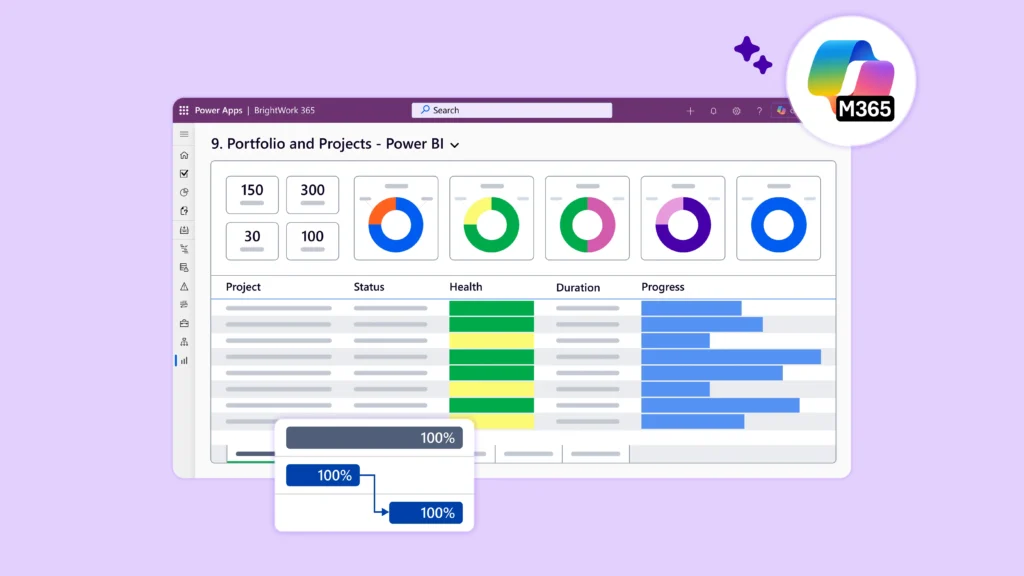
BrightWork 365 uses Power BI portfolio dashboards and Power Apps dashboards for project, program, and portfolio visibility. Manufacturing PMOs can track health, risks, issues, timelines, resource visibility, and drill-down reporting across sites and portfolios.
Power BI viewing and sharing scenarios depend on the customer’s Microsoft licensing and environment access, so IT should confirm requirements before deployment.
Microsoft 365 Fit
BrightWork 365 uses Microsoft 365 and Power Platform components, including Power Apps, Power Automate, Power BI, Microsoft Teams, SharePoint Online, Microsoft Entra ID / Azure AD groups, and Dataverse.
The solution deploys in the customer’s Microsoft environment. Setup depends on a Dataverse-enabled Power Platform environment, admin permissions, Microsoft licensing, and the agreed implementation approach.
Buyer Checks for Manufacturing PMOs
A manufacturing PMO can test fit with four practical checks before moving into procurement or configuration.
-
Project fit – Confirm which capital project types need structured intake, templates, approvals, reporting, and closeout control.
-
System boundaries – Decide which data belongs in BrightWork 365 and which data remains in ERP, MES, Microsoft Dynamics 365, finance systems, maintenance systems, or production systems.
-
Microsoft readiness – Confirm Power Platform environment setup, Dataverse access, Power BI requirements, admin permissions, user licensing, and BrightWork 365 licensing and installation requirements.
-
Adoption path – Identify the first portfolio, plant, or project type that can prove the process before wider rollout.
Frequently Asked Questions About Capital Project Management Software
What is capital project management software?
Capital project management software helps organizations manage capital project requests, approvals, schedules, documents, risks, portfolio reporting, and closeout. Manufacturers use it for plant expansion, equipment replacement, facility upgrades, energy projects, compliance work, and other investments that need governance beyond basic task tracking.
Can Power BI track capital project portfolios?
Power BI can report on capital project portfolios when the underlying data stays structured and consistent. It can show status, schedule health, risk, stage, site, sponsor, and budget-range views, but Power BI handles reporting rather than the full project management process.
How can BrightWork 365 support capital project management?
BrightWork 365 supports capital project management with request intake, configurable templates, workflows, dashboards, Microsoft Teams collaboration, SharePoint Online documents, Power BI reporting, and guided adoption. Its fit depends on the manufacturer’s Microsoft 365 environment, Power Platform setup, licensing, and implementation choices.
Build a Repeatable Capital Project System in Microsoft 365
Manufacturers need a repeatable capital project system that connects requests, approvals, execution, dashboards, and closeout. Spreadsheets, email, and disconnected files can support early coordination, but those tools strain when multiple plants, sponsors, vendors, and approval levels enter the picture.
Microsoft 365 gives manufacturers the environment for collaboration, documents, workflows, data, and reporting. BrightWork 365 adds the structured PPM layer and guided rollout path for Microsoft-first PMOs that need to standardize CapEx project tracking without moving project work into a disconnected stack.
See How BrightWork 365 Supports Your Capital Projects
See how BrightWork 365 helps manufacturing PMOs standardize capital project requests, approvals, templates, dashboards, and reporting inside Microsoft 365. Visit the Microsoft 365 project management for manufacturing hub or contact sales to discuss your CapEx project management process.