
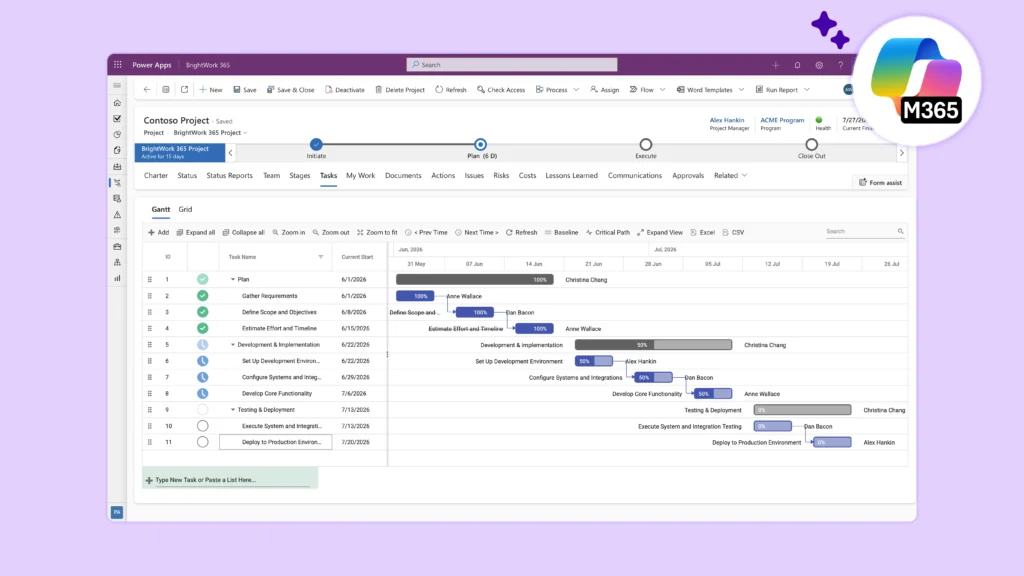
Standardize new product introduction projects in Microsoft 365 with one configurable NPI template, defined stage-gate decisions, named owners, milestone evidence, and a portfolio view across the launch pipeline. The system should coordinate the project around product data and quality records. It should not replace PLM, QMS, ERP, or engineering systems.
BrightWork 365 includes a New Product Introduction template that organizations can adapt to their own NPI process and apply consistently.
The approach covered in this article includes:
-
Building one common NPI template around the organization’s lifecycle.
-
Defining stage-gate decisions, evidence, and exception paths.
-
Assigning one accountable owner to each deliverable.
-
Coordinating project work through Microsoft 365 without replacing specialist systems.
-
Reporting the full NPI pipeline through a consistent portfolio view.
Standardization starts before the first task
NPI teams often begin with a copied plan from the last launch. That can preserve useful experience, but it can also carry forward old assumptions, duplicate fields, and control gaps.
A standard should define:
-
The information needed to accept an NPI request.
-
The phases every NPI project passes through.
-
Assigning one accountable owner to each deliverable.
-
The evidence reviewed at each decision point.
-
The accountable owner for every deliverable.
-
The milestone and status definitions used across products.
-
The path for exceptions and conditional approvals.
-
The information leaders need across the NPI portfolio.
The template is one part of that standard. Owners, review authority, definitions, and update habits make it operational.
Build the NPI intake record
An NPI request should give reviewers enough information to decide if planning should begin. It does not need every technical detail.
Possible fields include:
-
Product or program name.
-
Requesting business unit.
-
Accountable sponsor.
-
Target market or customer need.
-
Proposed launch window.
-
Expected manufacturing location.
-
Initial engineering, supply, production, and quality dependencies.
-
Required certifications or reviews, recorded as planning inputs.
-
Resource and funding status.
-
Main assumptions and risks.
Keep sensitive product and customer information in the systems and locations approved by the organization. The project record can link to authoritative data rather than copying it.
The intake workflow should define approve, return, hold, and reject outcomes. A conditional approval needs recorded conditions, owners, and dates.
Turn the NPI lifecycle into a project template
BrightWork 365 manufacturing templates include a New Product Introduction template that organizations can configure around their own NPI process. Treat the template as a starting point, not a complete NPI method.
The organization’s template may include phases such as:
-
Concept and intake.
-
Feasibility and business review.
-
Design and process development.
-
Validation and production readiness.
-
Launch preparation.
-
Handover and closure.
Names and sequence vary. The important control is that each phase has a clear purpose, owner, deliverables, and exit decision.
The template should also define the common project records:
-
Major milestones
-
Actions
-
Risks and issues
-
Decisions
-
Change requests
-
Status updates
-
Links to approved product, quality, commercial, and manufacturing evidence.
Do not force every technical activity into the portfolio tool. Keep detailed engineering, quality, and operational records in their designated systems.
Design useful stage gates
A phase gate process separates project phases with defined approval points and decision criteria. Reviewers decide if the project should proceed, proceed with conditions, remain on hold, or stop.
For each gate, specify:
-
Decision authority
-
Required evidence
-
Readiness criteria
-
Accepted outcomes
-
Conditions that may remain open
-
Escalation path
-
Date and owner of the next action
BrightWork 365 can support stage approvals, project requests, alerts, and task assignment through Power Automate workflows for manufacturing. Configure those workflows around the operating design the organization selects.
Avoid a gate checklist with no decision logic. A useful review asks what evidence is missing, what risk the gap creates, and who has authority to accept it.
Keep gate evidence focused
Reviewers should not receive every project document. The project manager can present a concise readiness summary with links to authoritative evidence.
For example, a production-readiness review may reference:
-
Approved process documentation
-
Equipment or tooling readiness
-
Material availability
-
Training completion status
-
Quality review status
-
Open issues and accepted conditions
-
Launch milestone forecast
The organization defines the required evidence.
Assign one owner to every deliverable
Cross-functional NPI work creates gaps when a deliverable belongs to a group rather than a person. Name one accountable owner even when several functions contribute.
An owner should know:
-
What completion means
-
Which evidence must be linked
-
Who reviews the deliverable
-
Which milestone depends on it
-
What to do if the date is at risk
Functional responsibility can stay in engineering, procurement, production, or quality. The project record provides the shared date and status context.
Use an ownership view during each weekly review. Concentrate on overdue items, items without evidence, and work that blocks a gate.
Define the exception path
Standardization becomes useful when the process can handle a justified exception. An NPI project may need a different validation sequence, supplier review, plant-readiness step, or market approval.
Require the project manager to record:
-
The standard step that cannot be followed
-
The reason
-
The affected deliverables and milestones
-
Added risk
-
Proposed alternative
-
Decision authority
-
Conditions and review date
Keep the exception visible in project and portfolio status until it closes. Do not edit the master template to solve one local case. Review recurring exceptions as a group. If the same exception appears often, the standard may need a controlled revision or a distinct template.
This approach protects consistency without pretending every product and plant follows identical work.
Set a target response time for exception decisions. A late decision can block several functional owners even when their work is ready. Show overdue exception reviews in the project status and raise them through the agreed escalation path.
Record the final disposition and any template lesson.
Connect NPI collaboration in Microsoft 365
BrightWork 365 supports Microsoft 365 project management with Teams collaboration, SharePoint Online documents, Power Automate workflows, and Power BI reporting. Teams can give the NPI project a workspace for meetings and working conversations, while SharePoint can hold project documents and links under the organization’s access and version settings.
Power Automate can support configured approvals, but the NPI team still defines the approver, decision criteria, fallback path, and evidence.
A practical workspace can include:
-
A general channel for current status and announcements.
-
Engineering and process channels for cross-functional coordination.
-
A launch-readiness channel for milestone and gate preparation.
-
A document location with clear ownership and version rules.
-
Links to specialist systems holding authoritative product and quality data.
Keep the collaboration structure lighter than the NPI process. Too many channels and notifications can hide the decisions that matter.
Report the NPI pipeline as a portfolio
A project portfolio view helps leaders compare the full NPI pipeline across phases, milestones, risks, and launch dates.
Useful measures may include:
-
Projects by current phase.
-
Next planned gate and date.
-
Gate decisions due this period.
-
Late major milestones.
-
Top cross-project risks.
-
Shared resource or supplier constraints.
-
Projects with stale status.
-
Launch windows by product group.
Use definitions that can be applied consistently. “Gate ready” should mean the same thing across projects. If local teams need more detail, retain a common portfolio value and add local fields below it.
Confirm which reporting, workflow, and portfolio elements are configured for the proposed NPI template so leaders compare projects using the same definitions.
For dashboard patterns across plants and portfolios, see Power BI dashboards for manufacturing project reporting.
Keep system boundaries clear
An NPI project-management layer coordinates work. It does not become:
-
The PLM source for product structures and engineering data.
-
The QMS source for controlled quality processes and records.
-
The ERP source for orders, inventory, costing, or financial transactions.
-
The MES source for production execution.
-
A guaranteed method for meeting certification or regulatory requirements.
For every data type, record its system of authority. Link to that source from the project record when appropriate. Avoid copying specialist data unless the organization has approved the need, ownership, and update process.
This boundary reduces duplicate truth. It also makes product demonstrations more realistic.
Roll out one NPI type at a time
Step 1: Select a representative project
Choose an NPI project with real cross-functional dependencies but manageable scope.
Step 2: Map the current decision path
Record intake, phases, gates, evidence, owners, status, escalation, and handover.
Step 3: Configure the minimum template
Include only fields and controls required to operate the first complete cycle.
Step 4: Test an exception
Run a missed milestone, conditional gate approval, and material change through the process.
Step 5: Review portfolio reporting
Ask leaders if the view supports an actual decision. Remove measures that no one uses.
Step 6: Adjust and govern the standard
Assign a template owner. Record change requests and communicate revisions before deploying them to more teams.
Standardization should make the process easier to review. It should not erase justified differences between products, plants, or markets.
Common questions about NPI project management
What should an NPI project template include?
Include phases, stage gates, major deliverables, owners, milestones, risks, decisions, status fields, evidence links, and closure requirements. Adapt the template to the organization’s NPI method.
Can Microsoft 365 support NPI stage gates?
Yes. Microsoft 365 and Power Platform can support project workspaces, documents, configured approvals, notifications, and reporting. The organization defines the gate authority and readiness criteria.
Does NPI project management replace PLM?
No. PLM manages specialist product-lifecycle information. The NPI project layer coordinates activities, dates, owners, decisions, and cross-functional status around that information.
How many NPI templates should an organization use?
Start with one common minimum. Add a distinct template only when a product type or governance path has material differences that cannot be handled through configuration.
Make every gate and owner visible
A repeatable NPI process gives teams a common path from request to handover while preserving specialist system boundaries. Start with one template, test a real exception, and use portfolio reporting to improve the review cycle.
To assess a configurable starting point, review manufacturing project management with BrightWork 365 and configure the demonstration around one of your NPI project types.