
Government PMOs report to many audiences. A portfolio manager may brief agency leaders, prepare oversight updates, answer auditor questions, and support board or public reporting from the same project data.
Power BI can help government PMOs create drill-down portfolio dashboards, but accurate Power BI portfolio reporting depends on standardized project data first.
Spreadsheets, email updates, disconnected SharePoint lists, and static slide decks make reporting slow because every update has to be collected, checked, and restated before leadership can trust it.
Article Highlights
-
Government PMOs need structured project data before Power BI dashboards can support oversight.
-
Power BI helps visualize portfolio status, risk, schedule health, and delivery trends, but it cannot replace a PPM operating model.
-
Dataverse, Microsoft 365, and BrightWork 365 can support consistent project intake, status updates, approvals, and reporting.
-
The strongest starting point is one active portfolio with clear fields, update owners, dashboard audiences, and permission rules.
Why Government PMOs Need Structured Portfolio Reporting
Government project portfolio reporting carries more pressure than internal team reporting. PMO leaders often need to show current status, delivery confidence, funding position, risk exposure, decisions, and accountability across programs that affect multiple departments.
Oversight Standards Shape Reporting Expectations
That reporting pressure shows up in formal oversight systems. The GSA’s IT Data Transparency guidance connects public-sector IT governance with project cost, schedule, risk, performance, contract data, oversight reporting, and public transparency.
Oregon’s PPM tool and portfolio reporting guidance shows the same principle in practice: project portfolio data needs to stay accurate and current because it feeds leadership, governance, and public reporting.
That is the standard government PMOs are working toward. A Power BI dashboard can help display portfolio health, but the dashboard only becomes useful when project data is structured enough to support oversight.
Fragmented Reporting Slows Oversight
Many agency teams still gather status through spreadsheets, emails, meeting notes, SharePoint lists, and slide decks. Each format can use different language for health, schedule movement, risk, issue ownership, and next steps. A Power BI project portfolio dashboard can make those gaps visible, but it cannot repair them alone.
Executives, auditors, and sponsors need traceable records rather than a few red, amber, and green summaries. Strong PMO reporting should connect each status update to an owner, last updated date, approved scope, decision history, risk status, change record, and schedule movement.
Public And Board Reporting Requires Structured Views
Some government portfolios also need board-facing or public-facing views. Those dashboards should use approved reporting fields, clear permission rules, and curated detail levels. A public view rarely needs every working note. It needs the right summary, drawn from the right source, with enough context for accountability.
What Power BI Needs Before It Can Report Across Portfolios
Power BI works best after the PMO defines a shared project data model. Before the first dashboard build, government PMOs should agree on what counts as a project, which fields every project needs, who owns updates, when records refresh, and which audiences can view each reporting layer.
Microsoft explains that Power BI Desktop can view table data in Microsoft Dataverse, and that table row access follows the Dataverse security model used by Power Apps. The same Microsoft guidance notes that users need the right Dataverse privilege to download the analysis file and open tables in Power BI Desktop.
Define A Shared Data Model First
For a practical Microsoft 365 planning step, government PMOs can review how to standardize government PMO portfolios in Microsoft 365 before scaling dashboard work. Teams that need a broader reporting primer can also use BrightWork’s guide to Power BI for project and portfolio reporting.
Intake And Status Records
Portfolio reporting starts before execution. Every approved project should begin with a consistent request record so the PMO can compare proposed work, approved work, and active work without rebuilding the story later.
Useful intake fields include project name, sponsor, department or agency, objective, funding source, priority, expected start date, expected finish date, approval status, and portfolio or program. Status fields should also follow shared definitions for overall health, schedule health, budget status, scope status, project stage, owner, forecast finish date, and last updated date.
Strong project portfolio reporting asks every team to speak the same status language before leadership sees the rollup.
Risks, Issues, And Approval History
Risks are potential future events. Issues are current problems that need action. Both need structured fields such as owner, severity, impact, mitigation plan, due date, escalation status, and last updated date.
Approval history matters for the same reason. Boards and auditors may need to see when a project was approved, who approved it, what changed, and why decisions were made. BrightWork 365 can support request capture, review, approval workflows and automated notifications inside Microsoft 365.
| Dashboard View | Primary Audience | What It Should Show | Data Required |
| Portfolio summary | Executives and PMO leaders | Portfolio health, status by department, active projects, escalations | Standard project records and health fields |
| Schedule and milestones | PMO and delivery teams | Late milestones, forecast finish dates, schedule movement | Baselines, milestone dates, status updates |
| Risk and issue escalation | PMO, sponsors, auditors | High-severity risks, unresolved issues, owners, due dates | Structured risk and issue logs |
| Funding and delivery confidence | Executives and finance stakeholders | Budget status, delivery confidence, approved changes | Budget fields, change history, approved reporting rules |
| Public or board view | Boards and public reporting teams | Approved status, progress, high-level milestones | Curated reporting fields and permission rules |
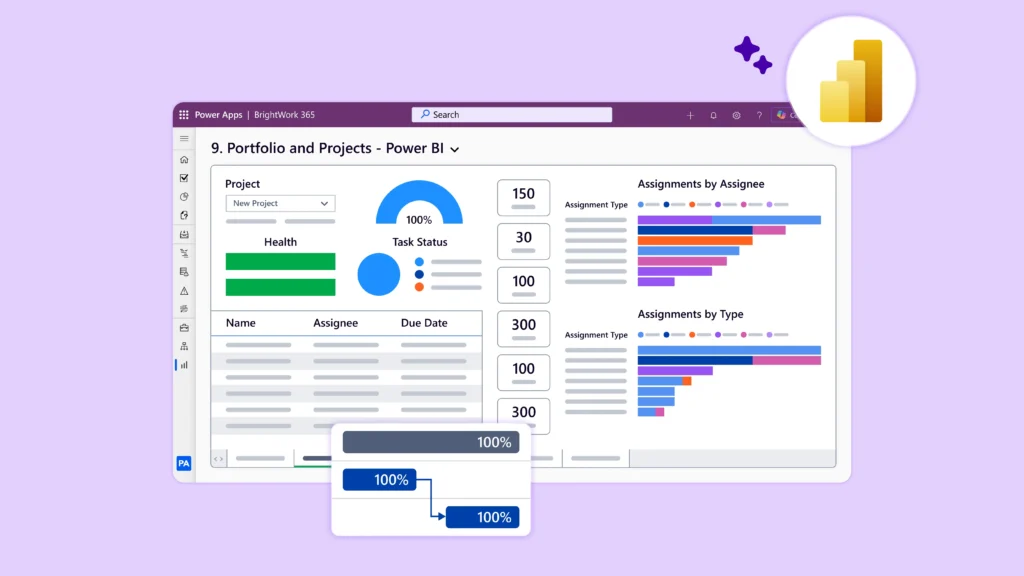
Drill-down matters because different audiences need different levels of detail. A board-level dashboard may show portfolio summary, while a PMO lead may need to open a program, project, risk, or milestone record. BrightWork 365 Power BI dashboards support portfolio dashboard views with status, health, issues, overdue tasks, filters, and drill-down into project sites.
How Microsoft 365 And BrightWork 365 Support Portfolio Reporting
Microsoft 365 gives government teams strong building blocks. Microsoft Teams supports collaboration. SharePoint Online manages project documents. Power Automate can route approvals. Power Apps can support structured apps. Dataverse can store project records. Power BI can report across those records.
The PMO still needs the operating model that connects the tools. For government project portfolio management, the PMO needs intake standards, templates, approvals, status rules, permissions, and a reporting cadence.
Microsoft 365 Provides The Foundation
BrightWork 365 is a Microsoft 365 project and portfolio management solution for PMOs that need more structure than spreadsheets, ad hoc SharePoint sites, or lightweight task tracking.
It supports structured project request capture, review and approval workflows, automated notifications, configurable templates, project status records, health tracking, risks, issues, timelines, milestones, portfolio views, and program views.
BrightWork 365 Adds Structured PPM Capabilities
BrightWork 365 uses Power BI and Power Apps dashboards for project, program, and portfolio visibility. BrightWork’s Power BI for government reporting support includes a Power BI Pack with six configurable dashboards for agencies, drill-down reporting, project status, tasks, issues, templates, approvals, Teams, SharePoint, Power Automate, and Azure Active Directory.
Licensing And Permissions Still Matter
BrightWork 365 operates in the customer’s Microsoft 365 environment and uses Microsoft 365 and Power Platform components. Deployment, reporting, and access still depend on tenant setup, Dataverse configuration, admin permissions, user permissions, and appropriate Microsoft and BrightWork licensing. Full BrightWork 365 users and Power BI dashboard users may need the correct license levels before reporting can scale across the PMO.
Government teams evaluating project portfolio management in Microsoft 365 should treat BrightWork 365 as a structured PPM layer that connects intake, approvals, reporting, and portfolio visibility.
Checks Before Building A Government PMO Dashboard
Use this sequence before building a PMO dashboard in Power BI:
-
Define the reporting audience – Identify what executives, boards, auditors, department heads, and public-facing teams need to see.
-
Standardize the project fields – Agree on required fields for status, schedule, risk, issues, budget, owner, sponsor, stage, and last update.
-
Map permissions and licensing early – Confirm who can view, update, approve, publish, and share reports, then check Dataverse, Power Platform environments, Power BI licensing, admin permissions, and deployment requirements.
-
Pilot one portfolio first – Use one active portfolio to test fields, dashboards, workflows, and reporting cadence before wider rollout.
Avoid building the dashboard first and debating the data later. That path usually creates rework because the PMO has to rebuild fields, permissions, visuals, and stakeholder expectations at the same time.
Better Government Dashboards Start With Better Project Data
Government PMOs should ask more than, “Can Power BI show our data?” A better question is, “Do we have the project structure Power BI needs to report accurately?”
Power BI portfolio reporting works best when project intake, status updates, risk tracking, approval history, and portfolio definitions follow a shared process. Once that foundation exists, dashboards can help leaders see portfolio health, schedule movement, risk exposure, and delivery confidence without asking teams to rebuild status every reporting cycle.
Get Started With Structured Government Portfolio Reporting
Review Power BI for government reporting if your PMO needs structured intake, reporting, approvals, and portfolio dashboards inside Microsoft 365. Request a BrightWork 365 demo to see how that structure can support government portfolio reporting.