
Government project work rarely stays in one room. A single public works project might require engineering updates, finance reviews, council approvals, public-facing milestones, contractor submittals, and sign-offs from three different offices.
At the same time, an IT modernization initiative demands security reviews, procurement checkpoints, stakeholder agreements, and monthly portfolio updates. For government PMO leaders, a repeatable portfolio model is the only way to establish a single, trusted system for intake, approvals, documentation, and executive reporting.
Key takeaways:
-
An established operating model provides public-sector teams with a predictable path for requests, templates, documents, and status updates.
-
Tracing a project from the initial request to the final report ensures that every decision leaves a visible, auditable trail.
-
Agencies can configure Microsoft 365 tools like Teams, SharePoint, and Power BI around their existing policies to support this model.
-
BrightWork 365 offers a dedicated project and portfolio layer directly within Microsoft 365, avoiding the need for isolated third-party tools.
-
Security and compliance are not automatic features of any software. Compliance ultimately depends on the agency’s specific tenant setup, licensing, and implementation choices.
The problem in public-sector project management is rarely a lack of effort. Usually, the issue is scattered evidence. Requests arrive through casual emails. Approvals get lost in chat threads.
Status updates sit forgotten in individual spreadsheets, and project files end up buried in disconnected folders. When leadership asks for an honest assessment of the portfolio, the PMO has to rebuild the narrative from scratch.
Why Government PMOs Need a Connected Operating Model
A connected operating model matters because government projects require an official home for evidence. State and local agencies must regularly prove why a project was prioritized, who authorized the funding, where the records are kept, and how progress affects the broader public agenda.
A governed portfolio gives teams a dependable workflow to evaluate new requests, launch approved work, organize delivery records, and monitor risks across different departments.
Modern public-sector management demands more than basic task tracking. A stronger government project management model links intake, formal approvals, documents, and portfolio-wide reporting.
Why Public-Sector Portfolios Lose Visibility
State and local PMOs balance intense pressure from budget cycles, public transparency laws, grant deadlines, elected officials, and complex interdepartmental dependencies. While a generic project tool can help organize tasks, true governance requires a clear administrative trail.
The PMO needs to trace work from the initial proposal to the final status report. Without this continuity, portfolio reviews quickly become slow and reactive.
Federal programs already enforce this level of discipline. The U.S. Technology Modernization Fund, for example, links funding allocations directly to project milestones, proving the value of structured, staged oversight.
Request Sprawl
New work creeps in from all directions, including emails, face-to-face meetings, department channels, and informal requests from leadership. If the PMO cannot view all potential projects in a single pipeline, fair prioritization becomes impossible.
This visibility gap creates two distinct problems: some projects kick off without a clear sponsor, while other initiatives with higher public value get left behind.
Approval Delays
Government projects rarely rely on a single signature. Budget owners, department heads, security officers, procurement specialists, and legal teams all need to weigh in.
These handoffs stall when there is no visible progress map. The PMO needs to see who has reviewed a request, what decisions were made, and what actions remain outstanding before a project can move forward.
Reporting Gaps
Manual status reporting wastes valuable time. When every department uses a different format, portfolio reporting turns into a tedious copy-and-paste editing task rather than a strategic exercise.
Leaders need a shared, simple view of project health, schedules, risks, and ownership across active projects. This high-level view doesn’t need to show every minor task; it just needs to provide enough reliable data to support timely decisions.
Records and Audit Pressure
Public-sector teams must maintain reliable project records. This means keeping a permanent history of approved requests, decision logs, planning documents, and status reports.
No software guarantees compliance out of the box. Maintaining clean records still depends on agency policies, Microsoft tenant configurations, retention settings, and user training.
However, consistent project governance makes these rules easier to enforce by giving information a permanent home. Public-sector oversight relies on consistent execution. The U.S. Government Accountability Office’s 2025 High Risk List notes that leadership commitment, clear action plans, and visible progress tracking are essential indicators that serious risks are being addressed.
The Request-to-Report Operating Model
The most effective operating model is the simplest one your team can consistently follow. A complex process that people bypass is far less valuable than a straightforward workflow they actually repeat.
For a government PMO running on Microsoft 365 for government project management, the standard path looks like this:
-
Capture Requests in One Intake Path – All new project proposals enter a central review pipeline. BrightWork 365 supports this stage by organizing request details, automating review routings, and sending status updates.
-
Score and Approve Work Consistently – Before committing resources, leaders should compare proposals side-by-side. The PMO can evaluate public value, urgency, risk levels, budget impacts, and department readiness.
-
Launch Approved Projects from Templates – Once approved, a project should launch with standard task structures, document folders, risk registers, and reporting fields. Starting from a template keeps teams from reinventing the wheel on every new initiative.
-
Manage Collaboration in Microsoft Teams – Keep project conversations tied directly to the work. Microsoft Teams lets departments hold meetings, discuss updates, and coordinate tasks without losing the context of the project.
-
Store Project Documents in SharePoint – A reliable document structure is essential for compliance. Establishing SharePoint project governance enables the PMO to organize files, maintain version histories, and set permissions around a uniform structure.
-
Automate Routine Approvals and Reminders – After mapping the approval paths, use automation to handle reminders and handoffs. Building Power Automate approvals keeps requests, stage gates, and weekly status alerts moving along a predictable path.
-
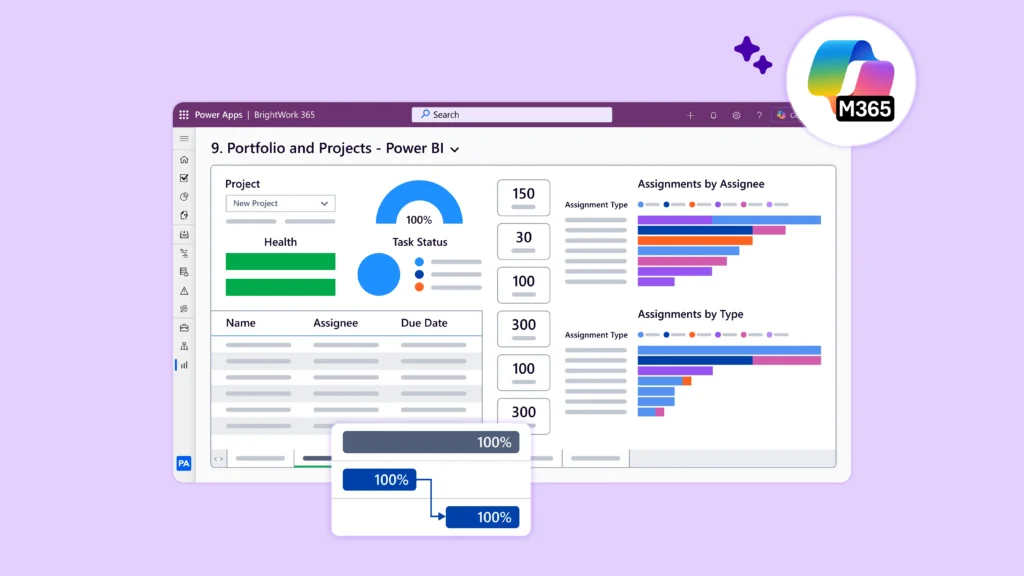
Report Portfolio Status in Power BI – Executives need a clean overview of schedules, risks, and health across all active projects. Connecting data to Power BI government reporting rolls project updates into real-time, shareable portfolio dashboards.
Do not feel pressured to build everything at once. Start by standardizing the request process and creating one high-level portfolio report. As departments adapt, you can gradually expand templates and automate deeper workflows.
Where BrightWork 365 Creates Traceability
BrightWork 365 is a project and portfolio management solution built to run directly inside your Microsoft 365 tenant. It brings requests, approvals, templates, Teams communication, SharePoint document libraries, and Power BI dashboards into a single, cohesive workspace.
This unified approach is highly valuable for government PMOs because success relies on the entire process working together, not on individual, disconnected apps. A modern PMO on Microsoft 365 requires intake, templates, and reporting to function inside the tools staff already use.
Connect the Microsoft 365 Project Lifecycle
While Teams handles chat, SharePoint stores documents, Power BI displays reports, and Power Automate runs workflows, BrightWork 365 connects these pieces into a single, continuous project lifecycle. This prevents the PMO from having to patch together isolated workspaces later on.
For agencies heavily invested in Microsoft technology, this solution packages your existing tools into a structured PPM system. Deploying a centralized PPM solution using Microsoft 365 links intake, execution, and executive reporting without introducing foreign software platforms.
Match the PMO Operating Need
The system is designed for state or local government PMOs that need:
-
A single, transparent path for incoming project requests.
-
Standardized templates for newly approved projects.
-
Structured, project-specific collaboration inside Microsoft Teams.
-
Consistent SharePoint directories to organize documents and official records.
-
Clear portfolio dashboards for executive reviews and public updates.
-
Resource and workload visibility across multiple departments.
-
Guided implementation support using BrightWork’s Start-Evolve approach.
Public-sector PMOs rarely use a single, rigid workflow for every department. A state agency might require different review paths for IT modernization, public works, and grant-funded programs. Documenting these unique business processes and workflows allows the PMO to standardize approvals and reporting without forcing every team into an identical template.
A task app helps a single department manage its day-to-day to-do list. A true PPM layer connects that work to senior leadership and agency-wide oversight.
Security and Data Claims Need Clear Limits
Government data requires careful handling. While Microsoft offers specialized environments like GCC and GCC High for regulated data, deploying any tool within these spaces does not guarantee automatic compliance.
BrightWork 365 runs directly inside your existing Microsoft 365 and Power Platform tenant, meaning it naturally inherits the identity controls, user permissions, and data retention rules you already have established.
Ultimately, compliance remains a shared responsibility: the PMO shapes how information is governed by setting up access permissions, organizing document hierarchies, and structuring reports, while your IT security team remains responsible for verifying that the underlying cloud environment meets agency and regulatory standards.
Decision Route for Government Teams
You do not need to fix intake, templates, reporting, approvals, and adoption in one massive rollout. The smarter path is to identify your most visible administrative bottleneck, resolve that step first, and then expand your governance model in stages.
Phase 1: Intake, Templates, and Reporting
If proposals arrive through scattered channels, start by building a single, transparent pathway for new requests. If project execution looks completely different across departments, introduce simple templates tailored to common work types (such as IT, facilities, or grant-funded programs).
If leadership is tired of chasing down updates, establish a single, trusted portfolio report to provide structured underlying data.
Phase 2: Approvals, Records, and Adoption
Automate approvals only after you have mapped out the decision owners and manual escalation points. Organize your SharePoint directories to keep audits clean, and connect these folder standards directly to your project stages. To prevent team burnout, use a phased rollout.
BrightWork’s Start-Evolve approach lets you launch quickly with simple setups, adding complexity only as your organizational maturity grows. This step-by-step approach ensures your project data remains fully traceable, giving leadership genuine confidence.
A Clearer Path for Government Project Portfolios
A structured portfolio model makes public-sector work easier to launch, manage, and audit. It eliminates scattered requests, confusing approval steps, manual reporting delays, and document chaos.
Keep Governance Close to the Work
Microsoft 365 provides the raw tools for communication, storage, and reporting. BrightWork 365 adds the project structure that unites these separate tools into a reliable PMO operating model.
The best starting point is smaller than a massive governance handbook. Focus first on the basic lifecycle: request, approval, template, document, status, report. This simple progression supports the meetings your PMO already runs, from internal status checks to public council updates.
Expand the Model in Stages
Once the core workflow runs smoothly, expand the process in stages. For government teams already working in Microsoft 365, this step-by-step approach keeps project governance close to daily habits while giving the PMO clear, portfolio-wide visibility.
Standardize Government Project Portfolios in Microsoft 365
BrightWork 365 helps public-sector PMOs coordinate requests, approvals, templates, documents, and reports within a single Microsoft 365 environment.
See how BrightWork 365 supports project and portfolio management, or get in touch with our team about standardizing your PMO operating model to get started.