
Introduction
BrightWork 365 enhances Microsoft 365 with structured project management, real-time portfolio insights, templates, workflows, and an adoption-friendly maturity framework.
It is the fastest, simplest, and most effective way for executives to modernize their PMO — and to ensure their project investments deliver the outcomes that matter.
Key Takeaways
Modern organizations are moving away from large, process-heavy PMOs and toward operational models that deliver value faster, reduce administrative burden, and integrate seamlessly with existing technology.
A modern PMO built on Microsoft 365 offers executives:
-
Strategic clarity: A single intake system tied directly to your business priorities.
-
Reliable execution: Projects follow consistent templates and governance automatically.
-
True real-time visibility: Dashboards update continuously, not weeks later.
-
Rapid adoption: Teams work in familiar Microsoft 365 tools, reducing resistance.
-
Scalable maturity: Start small, evolve at your own pace, and add complexity only when needed.
Why Executives Are Re‑Thinking the PMO
For many organizations, the Project Management Office (PMO) has become both indispensable and deeply frustrating. Executives want visibility, predictable delivery, meaningful prioritization, and strategic alignment, but they don’t want a PMO that becomes a heavy, process‑driven bottleneck.
The problem isn’t the PMO. It’s the traditional PMO model.
Too often, PMOs are built around tools that are too complex, processes that are too heavy, and documentation that grows faster than project value. And it’s usually the senior executives who feel this pain most acutely:
-
They can’t get real‑time visibility, only static updates.
-
They can’t see portfolio risk until it’s too late.
-
They can’t connect strategy to intake to execution in a unified system.
-
Teams operate in silos, with different templates, tools, and processes.
Modern PMOs require a fundamental shift: Move from “process first” to “value first”, move from complexity to clarity and move from disconnected tools to an integrated Microsoft 365 environment.
This is where the modern PMO model, with Microsoft 365 as its backbone, shines.
What Is a “Modern” PMO, Really?
A modern PMO is not a “lesser” PMO. It is a smarter, leaner, more executive‑aligned operating model designed to scale with the organization.
It focuses on:
-
Governance without bureaucracy: only the minimum viable structure needed to ensure reliable delivery.
-
Templates and guardrails instead of restrictive processes: repeatable frameworks that teams actually want to use, not “mandatory documentation.”
-
Real‑time visibility over rear‑view reporting: senior executives get ongoing clarity, not end‑of‑month surprises.
-
Centralized intake and prioritization: so leadership can approve the right projects before the organization invests in the wrong ones.
-
Tooling that works where people already work: which, for most organizations, is Microsoft 365.
This shift is not just operational. It is strategic.
Executives get what they want: predictability, alignment, control, and insight, without the bloated PMO bureaucracy that slows everything down.
Why Microsoft 365 Is the Foundation of the Modern PMO
Most organizations already rely on Microsoft 365 for collaboration, communication, and cross‑functional work. That alone gives it a massive advantage over traditional PMO tool stacks.
Instead of adding “yet another tool,” leaders can build their PMO inside an ecosystem teams already know:
-
Teams for communication
-
SharePoint for documents
-
Power Apps for structure and workflow
-
Power Automate for approvals
-
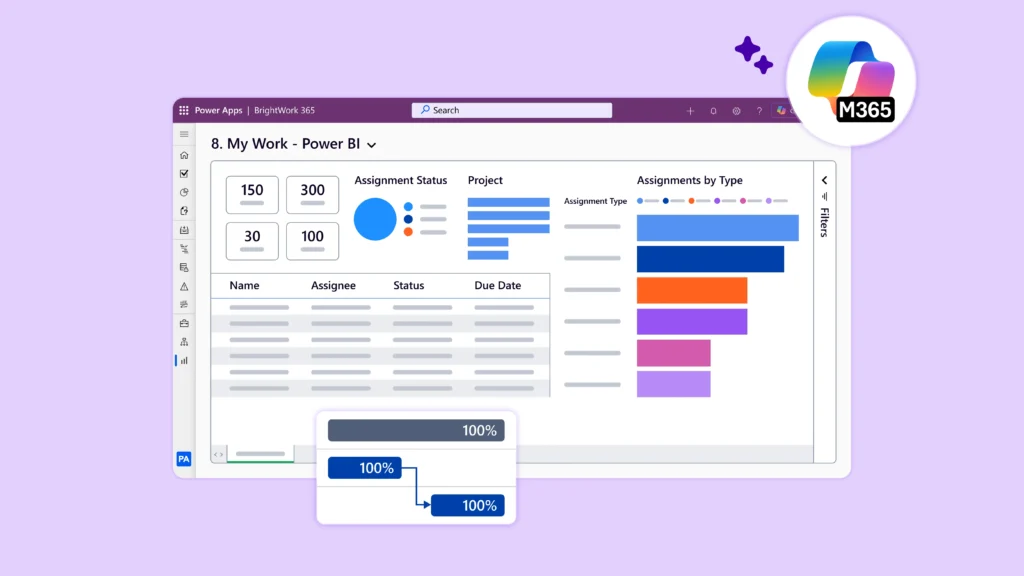
Power BI for dashboards and executive reporting.
This shift is not just operational. It is strategic.
Executives get what they want: predictability, alignment, control, and insight, without the bloated PMO bureaucracy that slows everything down.
This creates a PMO that is visible, integrated, scalable, secure, and user‑friendly – all without requiring major process change.
But Microsoft 365 on its own isn’t a complete PPM system. That’s where BrightWork 365 enters the picture.
BrightWork 365 adds the missing PMO layers Microsoft 365 doesn’t include out‑of‑the‑box, including:
-
A centralized Project Request / Intake process
-
Best‑practice project templates
-
Standardized status reporting
-
Portfolio dashboards for real‑time oversight
-
A structured Start → Evolve maturity path for PMOs.
It essentially transforms Microsoft 365 into a complete PMO system, while keeping it lightweight and flexible.
Designing the Modern PMO
Strategy, Structure, and Governance Without the Bloat
A modern PMO shouldn’t be a stripped‑down version of a “real” PMO. It is a modernized, strategically aligned operating model that gives executives clarity and control without unnecessary overhead. To build one effectively, leaders must rethink how governance, standardization, and reporting work in a Microsoft 365‑powered environment.
Below is the executive playbook for designing a high‑performing, low‑friction PMO.
Start With Strategy, Not Tools or Templates
Traditional PMOs often begin by defining processes, documentation standards, and tools before clarifying why the PMO exists. A modern PMO works in reverse:
Define the executive outcomes first
What do you, as a senior leader, need to run the business?
Most executives want:
-
Visibility: Where are projects struggling, and why?
-
Predictability: Will we deliver on time and within scope?
-
Alignment: Are projects connected to strategic priorities?
-
Resource confidence: Are people overloaded or under‑utilized?
These business outcomes should drive the PMO’s operating model. Then define the minimum supporting processes.
For a modern PMO, the goal is not exhaustive documentation. It’s purposeful consistency.
This often means:
-
A standardized project request flow
-
A small number of project templates
-
A consistent status reporting format
-
A single source of truth for project data
When a PMO starts from strategy, everything becomes more focused and easier to adopt.
Create Governance That Enables, Not Restricts
Executives need governance to ensure reliable execution, but teams need room to adapt. A modern PMO finds balance through clear roles and responsibilities.
Every project should have:
-
A Project Sponsor accountable for business alignment
-
A Project Manager or Owner responsible for delivery
-
A PMO Lead supporting governance, visibility, and process
Projects should also have stage boundaries, but only where they matter. Common lightweight stages include:
-
Request / Intake
-
Initiate
-
Plan
-
Execute
-
Close
You don’t need 20 gates. You need 3–5 critical checkpoints that protect investments.
Governance built into the tools
Governance is where Microsoft 365 shines. With BrightWork 365, processes aren’t enforced through documentation. They’re enforced through structure:
-
Required fields on project requests
-
Automated approvals via Power Automate
-
Project templates that guide behavior
-
Dashboards that reveal non‑compliance in real time
When governance is embedded in the workflow, compliance increases naturally.
Standardize Only What Truly Drives Value
Executives and teams get frustrated when a PMO tries to standardize everything. The modern PMO standardizes only the essentials:
The Project Intake Process
This is the highest‑value process to standardize. A good intake process ensures you start the right projects at the right time.
A Microsoft 365‑based intake looks like this:
-
A simple Power Apps request form
-
Automated routing to sponsors for approval
-
PMO review for prioritization
-
Automatic creation of the project using a template
This gives executives control upstream, before resources are assigned.
Project Templates
Templates define how projects run and protect quality without burden.
A lightweight template includes:
-
Charter
-
Deliverables / tasks
-
Issues & risks
-
Timeline
-
Status report
-
Documents
BrightWork 365 templates already follow this model, mapped to Microsoft 365 tools teams use daily.
Project Status Reporting
Executives don’t need 20‑page PowerPoint reports. They need one page of truth, updated automatically.
A good lightweight model:
-
One status report template
-
One portfolio dashboard
-
One cadence (e.g., weekly or bi‑weekly)
Standardizing status reporting alone often increases executive visibility by 300%+.
Build With Adoption in Mind (The Most Overlooked Step)
A PMO is only effective if teams actually use it. Executives must treat adoption as a strategic change initiative, not an afterthought.
This means:
-
Keep friction low by using Microsoft 365 tools people already know
-
Introduce templates gradually, not all at once
-
Keep documentation minimal
-
Provide short video walkthroughs instead of long PDFs
-
Celebrate teams who adopt the new standards early
The more intuitive the environment, the faster adoption happens, especially for non‑formal project managers (a growing percentage of today’s workforce).
How Microsoft 365 + BrightWork 365 Enable the Modern PMO
A modern PMO becomes exponentially more powerful when the underlying tools remove complexity rather than add to it. This is exactly what Microsoft 365 – strengthened by BrightWork 365 – enables.
Microsoft 365 provides the ecosystem, and BrightWork 365 provides the project and portfolio management layer executives need for visibility, governance, and cross‑team consistency.
This section explains how the platform combination works, and why it has become the fastest path to a modern PMO.
Microsoft 365: The Natural Home for a Modern PMO
Most organizations already operate inside Microsoft 365 every day — which means the Modern PMO can live directly inside the tools employees know, minimizing friction and accelerating adoption.
-
Teams = Central hub for communication – Execs and PMO leads can monitor project channels, decisions, escalations, and updates in one place. Project teams collaborate in tools they already use.
-
SharePoint = Single source of truth – Documents, deliverables, project sites, and shared files live in a secure, permission‑controlled environment.
-
Power Apps = Structured project management – This is where the PMO gains the most leverage. Power Apps replaces spreadsheets and ad‑hoc reporting with forms, pages, workflows, and project records that guide consistent behavior.
-
Power Automate = Automated governance – Approvals, notifications, reminders, escalations, and workflows happen automatically, reducing manual PMO overhead.
-
Power BI = Executive‑level reporting – Dashboards consolidate: Project health, Risks & issues, Dependencies, Resource allocation, Portfolio performance and Over‑due deliverables.
Executives gain the single-pane visibility they’ve needed for years.
But here’s the critical insight: Microsoft 365 alone does not provide purpose-built PPM capabilities. That’s where BrightWork 365 completes the picture.
BrightWork 365: The Modern PMO Engine
BrightWork 365 is built on Power Apps and the Microsoft Power Platform, but designed specifically to help PMOs and executives standardize, govern, and scale project management with minimal complexity.
Here’s how:
Centralized Project Intake and Prioritization
Executives consistently say the same thing: “We can’t control what we can’t see coming.”
BrightWork 365 fixes this by giving your PMO a single, structured intake process:
-
A Power Apps–based project request form
-
Automated sponsor approval
-
Prioritization based on business impact, cost, risk, and resource need
-
Automatic project site creation using a template
This creates the upstream control executives rely on for strategic alignment.
Standardized Project Templates (Without Being Rigid)
BrightWork 365 comes with best-practice project templates, including:
-
Charter
-
Timeline
-
Tasks & deliverables
-
Risks & issues
-
Documents
-
Status reporting
-
Project settings
Templates reduce variance, improve predictability, and ensure a consistent project experience but they remain flexible enough for teams to adapt to their reality.
Real-Time Project & Portfolio Dashboards
Executives finally get one of the most valuable capabilities of a modern PMO: a real-time view of every project in the organization.
Dashboards show:
-
Status (Red/Amber/Green)
-
Budget indicators
-
Key dates
-
Overdue items
-
Risks
-
Issues
-
Resource capacity
The PMO no longer has to chase updates. The data updates itself.
Built-In Governance
Instead of PMO teams enforcing processes manually, BrightWork 365 builds governance into the workflow:
-
Approval flows
-
Required fields
-
Audit history
-
Status reporting cadence
-
Templates that follow best-practice stages
-
Automated reminders for overdue updates
Governance feels like a natural part of doing the work — not an extra chore.
Designed for Maturity Growth (Start → Evolve)
One of the biggest challenges in PMO modernization is taking on too much, too early.
BrightWork 365 resolves that through its Start → Evolve model:
-
Start with the minimum viable PMO: requests, templates, dashboards.
-
Evolve into deeper maturity: resource plans, portfolio grouping, advanced reporting, program management, etc.
Executives get value immediately — and teams avoid change fatigue.
Start Even Lighter: BrightWork 365 Free
For executives who want to try a modern PMO model with zero risk, BrightWork 365 Free provides:
-
Unlimited projects
-
Project charter
-
Status tracking
-
Completion tracking
-
Sample projects
-
Audit history
-
Works entirely inside your Microsoft 365 tenant
It’s a frictionless way to: Test PMO concepts, Validate adoption, Prove value quickly, and Build the foundation for a full PMO rollout.
It also has a seamless upgrade path into BrightWork 365 when you’re ready to scale.
Why This Matters to Executives
Microsoft 365 + BrightWork 365 gives executives:
-
A unified system for strategy, intake, delivery, and reporting. No swivel‑chair management across disconnected tools.
-
Real-time visibility and faster decision-making. No more waiting for PMs to compile reports.
-
Predictability and portfolio control. See risks before they become fires.
-
Adoption built-in. People work in tools they already use.
-
A step-by-step maturity path. You grow the PMO at your own pace. It delivers everything executives want from a PMO, without the burden of a traditional one.
Your Next Step
Launching a modern PMO is not about creating new layers of control. It’s about creating clarity, alignment, and flow.
If your organization is ready to improve visibility, reduce risk, increase execution reliability, and modernize your project ecosystem – Microsoft 365 + BrightWork 365 is the most effective place to start.
Hundreds of organizations have already made this transition.
With the right vision, and the right tools, yours can too.