
For most PMOs, the best Microsoft 365 project management setup is the simplest option capable of meeting the required level of control. Start with the management need, then choose the Microsoft route that fits.
At a glance:
-
Use Planner basic plans for shared task coordination and straightforward team work.
-
Choose Planner premium plans when dependencies, milestones, timelines, and critical-path scheduling matter.
-
Keep Project desktop or Project Server for specialist planning needs, or use Power Platform when your organization can own and maintain a custom system.
-
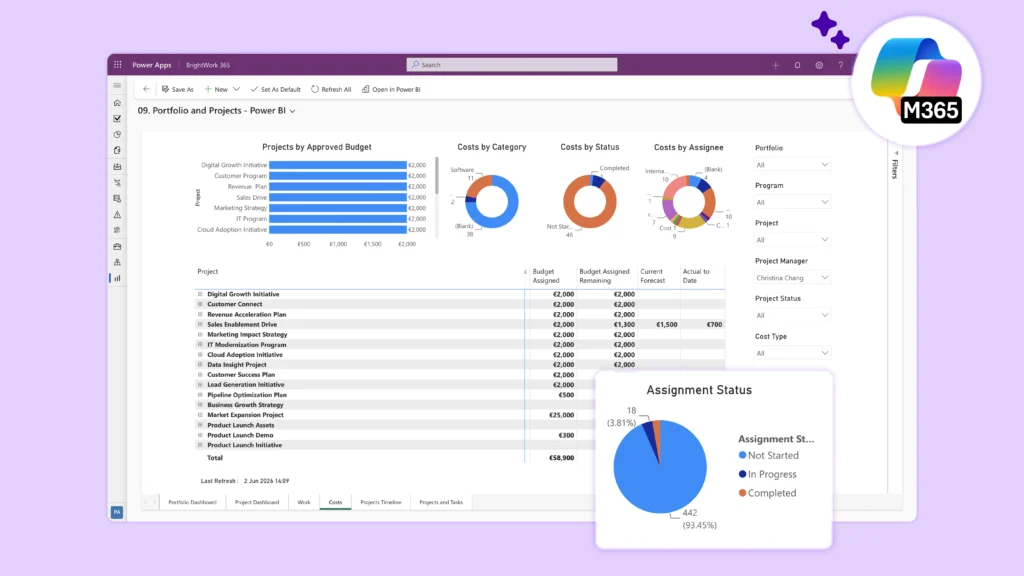
Consider a packaged Microsoft 365 PPM solution when the PMO needs standardized intake, reusable project templates, consistent status data, and portfolio reporting.
These options can also work together. The PMO should define which system owns each process and data type before combining them.
Choose from five practical routes
Microsoft 365 project management can take several forms. Teams may coordinate tasks in Planner, use premium plans for richer schedules, retain desktop or server planning for specialist needs, build a custom process on Power Platform, or add a packaged PPM solution such as BrightWork 365.
The right option is the least complex one capable of supporting the PMO’s management requirements. Avoid starting with a product name and forcing every project into the same setup. For an app-by-app view of Planner, Teams, and the rest of the suite, see which Microsoft 365 app suits project management.
Use these routes as a first decision screen:
-
Planner basic plans for team task coordination.
-
Premium plans in Planner for richer project schedules.
-
A current Project desktop product or Project Server Subscription Edition for specific planning and server needs.
-
A custom Microsoft Power Platform build for requirements the organization is prepared to own.
-
A packaged PPM product for Microsoft 365 with a consistent request path, reusable project structures, review controls, and leadership reporting.
These routes can coexist. A department may use basic plans for operational work, premium plans for schedules, and a portfolio layer for PMO oversight. A mixed setup needs clear ownership and a defined information path.
Route 1: Planner basic plans for team coordination
Planner basic plans fit teams needing a shared board, task ownership, dates, and simple progress views. They provide a familiar starting point for work without detailed dependency logic or formal portfolio controls.
This route can fit:
-
Small project teams with a straightforward plan.
-
Departmental initiatives managed close to daily work.
-
Teams replacing spreadsheets or personal task lists.
-
Work with light reporting needs and no formal approval workflow.
The PMO should still set minimum standards. Shared naming rules, assigned owners, a status cadence, and a closure practice can stop local plans from becoming invisible work.
Basic plans become harder to govern when every team creates a different structure. If leadership needs comparable milestones, risks, budgets, or decisions, assess a route above the team-plan level.
The Microsoft 365 project management guide covers how Planner, SharePoint, and Power BI fit together at team level.
Route 2: Premium plans in Planner for schedule depth
Premium plans add advanced planning capabilities inside Planner. Microsoft documents features including Timeline, dependencies, critical path, milestones, custom fields, sprints, People view, Goals, and Assignments view.
The Microsoft Planner premium capabilities suit project managers seeking more schedule depth while remaining in the Planner experience.
When premium plans fit
Use a premium plan when:
-
Dependencies and milestone sequencing matter.
-
The project manager needs timeline and critical-path views.
-
Teams want richer planning without adopting a wider PPM process.
-
The PMO needs consolidated progress tracking across premium plans through Planner portfolios.
Planner portfolios can bring premium plans together for portfolio-level monitoring. Basic plans are not supported in portfolios.
Users with a Planner and Project Plan 3 or Planner and Project Plan 5 license can create and edit portfolios, while users with Planner in Microsoft 365 or Planner Plan 1 can view shared portfolios in read-only mode.
Confirm current requirements in Microsoft’s Planner portfolio documentation before selecting this approach.
Where Planner premium stops
Premium planning improves execution depth. It does not automatically define how an organization approves requests, creates different project types, sets status standards, or governs a broader portfolio.
A PMO can build those processes around Planner, but someone must own and maintain them. The BrightWork 365 vs Planner Premium comparison covers that decision in more detail.
Route 3: Project desktop and Project Server for specialist needs
The name “Microsoft Project” can cause confusion because Microsoft has used it across several products. Current Microsoft offerings separate Project desktop products and Project Server Subscription Edition from Planner.
Desktop planning may remain relevant for project managers needing a specialist scheduling application, local files, or established planning practices. Project Server Subscription Edition supports a different server-based model and requires its own infrastructure and administration assessment.
Questions to assess specialist planning needs
Do not treat these products as interchangeable with Planner. Ask:
-
Does the organization need desktop scheduling functions?
-
Where will schedules be stored and governed?
-
Who maintains the server environment, if applicable?
-
How will portfolio reporting receive schedule data?
-
Which existing processes depend on desktop or server functions?
Confirm product names, availability, licensing, and support terms directly with Microsoft before purchase. These details can change.
Route 4: Build a custom process on Power Platform
Power Apps, Power Automate, Dataverse, and Power BI can support a custom project management system. This route gives an organization broad control over design and process.
A custom build can fit when:
-
Requirements are distinct and stable.
-
An internal product owner can set priorities.
-
Skilled makers, developers, and administrators are available.
-
The organization accepts responsibility for testing, support, security design, and change management.
-
A packaged product cannot support an important process without major compromise.
The decision extends far beyond the first release. Plan for environment strategy, data structure, access, capacity, integration, deployment, documentation, training, support, and future Microsoft changes.
A custom build may offer the required flexibility, but PMOs should also compare PPM tools built on Microsoft Power Platform before deciding to own the full application lifecycle internally.
A pilot should test maintenance scenarios as well as normal project work. Ask the team to change a project template, add a field, revise an approval step, update a report, and apply the change to existing projects. The exercise exposes the long-term ownership requirement before a full rollout.
Route 5: Use a packaged PPM product for Microsoft 365
A packaged PPM solution can give the PMO a defined model for requests, projects, templates, reporting, and governance inside its Microsoft environment.
BrightWork 365 for project management in Microsoft 365 provides configurable project templates, project request management, portfolio dashboards, and a staged approach to adoption. BrightWork 365 is built by BrightWork, a Microsoft partner, for organizations using Microsoft 365 and Power Platform.
This route can fit when:
-
The PMO needs a common intake process.
-
Approved work should start from controlled templates.
-
Project managers need shared fields for status, risks, issues, and milestones.
-
Leaders need a comparable portfolio view.
-
The organization wants a packaged starting point instead of owning a complete custom build.
-
Adoption needs to begin with a manageable level of process.
Packaged software still requires decisions about environments, licensing, capacity, administration, and configuration. The difference is the starting point. The PMO begins with an established product model instead of building and maintaining every component itself.
Match the route to the management need
| Management need | Best Starting Route | Escalate the design when |
| Shared team tasks | Planner basic plan | Leadership needs comparable project data |
| Rich project schedule | Planner premium plan | Intake and portfolio governance become material |
| Specialist schedule or server model | Project desktop or Project Server | Schedule data must connect to wider portfolio controls |
| Distinct custom process | Power Platform build | Ownership and maintenance capacity are unclear |
| Repeatable PMO process | Packaged Microsoft-first PPM | The organization needs scope outside the product model |
The table provides a starting point rather than a final architecture. A PMO may combine routes, but each added system increases the need for clear ownership and data boundaries.
Use a decision tree
Do teams mainly need shared tasks?
Start with Planner basic plans. Add simple naming and reporting rules before expanding the system scope.
Do project managers need dependencies and timeline control?
Test premium plans in Planner with a real schedule. Include a portfolio owner in the evaluation so schedule and reporting needs are assessed together.
Do specialist planners need desktop or server functions?
Confirm the Microsoft product and support position. Map how schedule data will reach project and portfolio reporting.
Does the organization have a distinct process and a delivery team prepared to own it?
Evaluate a Power Platform build. Cost the initial development along with continuing product ownership, administration, testing, and maintenance.
Does the PMO need repeatable intake, templates, status, and portfolio reviews?
Evaluate a packaged Microsoft 365 PPM product. BrightWork’s approach to organizational project management with Microsoft 365 shows how PMOs can start with a manageable level of process and expand governance as requirements mature.
Test the process with a real request and representative project types rather than a prepared example.
Moving from Project Online
Microsoft set September 30, 2026 as the Project Online retirement date. The Project Online next-steps guide covers the inventory work to finish before any replacement decision.
Teams choosing a destination can compare Microsoft Project Online alternatives for Microsoft 365 teams against their governance, reporting, and ownership needs.
Test the operating model, not a prepared demo
Give each route the same scenarios:
-
A requester submits incomplete work.
-
A reviewer returns it for more information.
-
An approved request starts from the right template.
-
A project manager creates a dependent schedule.
-
A major milestone becomes late.
-
The project requests a material change.
-
A portfolio owner reviews current status.
-
An administrator changes the standard.
Record what each option handles natively, through configuration, through custom work, manually, or outside its scope. Name the owner for each step as well.
The best option is one the organization can operate after the selection team leaves the room.
Decide data ownership before combining routes
Mixed architectures create problems when two systems can update the same value without a conflict rule. For every important data type, name one authoritative source and one accountable owner.
Document ownership for requests, schedules, milestones, resources, costs, risks, status, documents, and portfolio measures. Then define how other systems read or summarize the information. Include update frequency, error handling, and a process for correcting inconsistent values.
The exercise may reveal a simple route covers more needs than expected. It can also show where a portfolio layer is needed to connect otherwise valid team tools and reporting processes.
Common questions about Microsoft 365 project management
Is Planner Premium enough for a PMO?
Planner Premium can support project scheduling within a PMO that handles intake and governance separately. If requests require formal control, several project templates must coexist, or status needs portfolio-wide consistency, assess those requirements separately from schedule management.
Is BrightWork 365 a Microsoft product?
No. BrightWork 365 is a BrightWork project and portfolio management solution built for organizations using Microsoft 365 and Power Platform. Tenant, environment, Microsoft licensing, and capacity requirements apply.
Can an organization combine these options?
Yes. Teams may plan work in Planner while a shared PMO process governs requests, project records, and portfolio reviews. The architecture should identify which system owns each data type.
Start with the smallest workable route
Microsoft 365 gives PMOs several paths, from simple task plans to packaged portfolio governance. Define the management problem, test the complete operating process, and add complexity only when a genuine requirement calls for it.
If your needs center on common requests, reusable templates, consistent status reporting, and executive portfolio views, see how BrightWork 365 supports project and portfolio management on Microsoft 365 and request a live demo.