
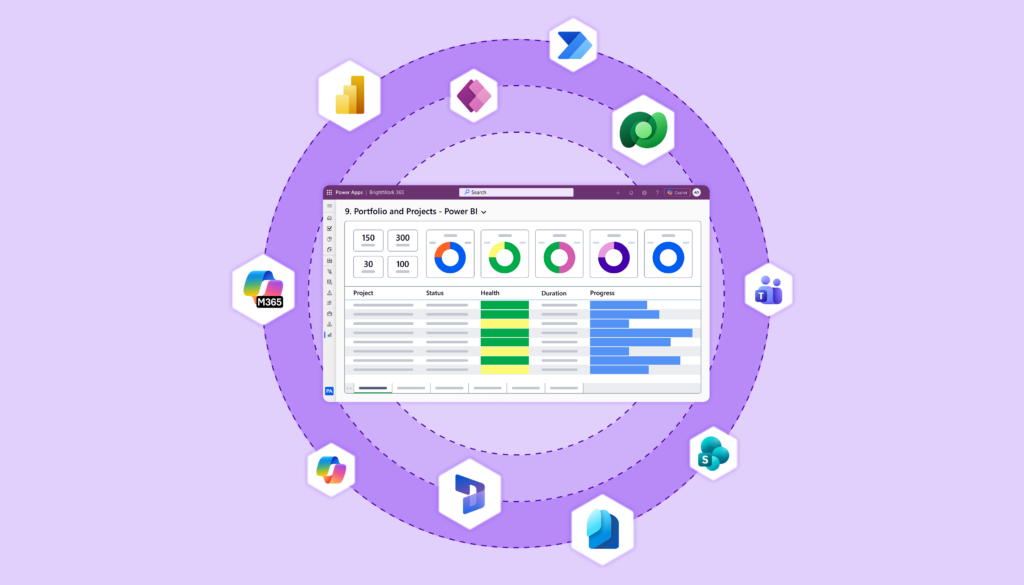
PMOs running on Microsoft 365 often reach a familiar fork. Planner and spreadsheets feel too light for portfolio control, but a disconnected SaaS platform means moving project data, permissions, and reporting outside the Microsoft environment the organization already trusts.
A growing category answers that tension: project and portfolio management tools built on the Power Platform or closely aligned with Microsoft 365 tenant deployment.
This guide compares four Microsoft-first PPM options: BrightWork 365, OnePlan, Sensei IQ, and Projectum xPM.
Article Highlights:
-
Power Platform-aligned PPM tools use Microsoft components, identity, data, and reporting models in different ways.
-
BrightWork 365 fits template-led PMO rollout, request management, portfolio visibility, and guided adoption inside Microsoft 365.
-
OnePlan often suits deeper strategic portfolio, financial, resource, and cross-tool planning.
-
Sensei IQ fits buyers who want Microsoft-tenant PPM visibility across several delivery tools.
-
Projectum xPM fits enterprise buyers prioritizing strategy-to-execution, governance, AI-supported planning, and portfolio depth.
What Power Platform-Aligned PPM Tools Mean for Microsoft 365 PMOs
Power Platform project portfolio management describes PPM solutions that use Microsoft 365 and Microsoft Power Platform components to support intake, templates, workflows, reporting, and governance.
In this comparison, the category also includes Microsoft-first PPM tools that align closely with Microsoft 365 tenant deployment, identity, integrations, Teams collaboration, and Power BI-style reporting.
Why Operating Model Matters More Than Features
The common evaluation criteria stay consistent:
-
Where project data sits
-
How identity works
-
Which Microsoft licenses are needed
-
How dashboards are shared
-
How Teams and SharePoint support daily project work.
Some tools package PMO templates and rollout services. Others center on strategic planning, financial governance, or visibility across many delivery tools.
The real difference between these products and a standalone SaaS workspace goes past a nicer task board. It centers on the operating model for data, permissions, reporting, and adoption inside Microsoft 365.
What to Compare Before Choosing
A fair shortlist weighs operating fit, not feature counts. Weigh these areas before any demo:
-
Tenant and Dataverse – Environment availability, data storage model, and any dedicated-environment requirement.
-
Power Apps licensing – The user, maker, and admin licenses that decide who can use and configure a Power Platform-based solution.
-
Power BI publishing – Viewing, sharing, and refresh rights that control who sees portfolio dashboards.
-
Intake and templates – Request forms, approvals, and standard setups that drive consistency across teams.
-
Portfolio and resource views – Rollups, drill-down, and workload visibility that set the depth of oversight.
-
Strategy and finance depth – Scenario, capacity, and financial modeling that separate reporting tools from planning platforms.
-
Implementation services – Rollout, training, and support that shape adoption and time to value.
IT should confirm licensing, environment setup, admin permissions, data model ownership, reporting access, and migration dependencies before the demo, including Project Online, which retires on September 30, 2026.
The Four Tools Compared
Treat this as a fit-based shortlist, not a ranking. Each profile below pairs a best-fit summary with the buyer caveat worth probing in a demo.
BrightWork 365
BrightWork 365 fits Microsoft-first PMOs that want a packaged operating layer for project requests, standard templates, project sites, portfolio dashboards, resource visibility, and guided rollout. It uses Power Apps, Power Automate, Power BI, Teams, SharePoint Online, Microsoft identity controls, and Dataverse.
The difference worth noting is software plus adoption support: BrightWork pairs the product with Start-Evolve guidance and a Customer Success Partner. Full BrightWork 365 depends on Power Apps, Dataverse, Power BI access for reporting, and the right admin setup.
Template-Led PMO Standardization Inside Microsoft 365
The product works best when the PMO wants repeatable intake, templates, reporting, and governance inside Microsoft 365 without building the framework from scratch.
It does not aim to match the strategy or financial modeling depth of a dedicated SPM platform. The project portfolio management in Microsoft 365 guide explains that operating model in more detail.
OnePlan
OnePlan is a strong Microsoft-first option for strategic portfolio and work management. Its current product language positions OnePlan as a strategic portfolio and work management platform for strategy-to-execution alignment, resource optimization, financial control, and delivery.
OnePlan also highlights integrations with Microsoft Teams, Microsoft Planner, Microsoft Project, Azure DevOps, Jira, Smartsheet, monday.com, Asana, Wrike, Trello, and other work systems. That breadth makes it a stronger fit when the buyer needs strategy, resource, financial, or cross-tool portfolio modeling.
Best Fit – Strategic Portfolio Planning and Cross-Tool Visibility
BrightWork 365, by contrast, is often simpler to position for packaged PMO standardization and template-led rollout. A dedicated BrightWork 365 versus OnePlan comparison will follow this guide.
Sensei IQ
Sensei IQ is a Microsoft Preferred PPM solution that sits inside the customer’s Microsoft 365 tenant. It is built for organizations that want a single source of truth while allowing teams to keep working in familiar delivery tools.
Sensei IQ supports visibility across Project Online, Project for the web, Planner, Azure DevOps, Jira, and other work systems. It also includes standardized program, portfolio, resource, financial, governance, and reporting capabilities. Compare it as a serious PPM option, not a task app.
Best Fit – Unified Visibility Across Multiple Delivery Tools
BrightWork 365 differs mainly in its packaged template library and Start-Evolve services story for PMOs that want a guided, BrightWork-branded rollout.
Projectum xPM
Projectum xPM is a Microsoft-aligned enterprise PPM option with strong portfolio, governance, reporting, and AI-supported planning positioning. Context& positions xPM as a Project Online replacement and describes standard AI features built for PMO insights, project planning assistance, and execution support.
Projectum xPM tends to fit buyers that put strategy modeling, portfolio management, AI-supported planning, or migration from Project Online at the center of the purchase.
Best Fit – Enterprise Governance and AI-Supported Portfolio Planning
BrightWork 365 is usually easier to explain for template-led standardization, request management, and rollout support, and it does not claim the same strategic or financial modeling depth.
Which Tool Fits Your PMO Operating Model?
Start from the problem, not the brand.
-
Choose BrightWork 365 if your PMO needs standard request intake, repeatable templates, portfolio dashboards, Teams and SharePoint collaboration, and guided rollout in Microsoft 365.
-
Choose OnePlan for deeper strategy, finance, resource, and cross-tool planning.
-
Pick Sensei IQ for Microsoft-tenant PPM visibility across several work systems, connected to Teams and Microsoft 365.
-
Choose Projectum xPM if your organization needs enterprise portfolio governance, strategy-to-execution, Project Online replacement support, and AI-supported PMO planning.
If the requirement is only task tracking, Planner or its premium plans may be enough. The question to settle internally stays plain: are we solving task tracking, delivery standardization, portfolio reporting, strategic planning, or cross-tool visibility?
Licensing, Dataverse, and Admin Checks Before a Demo
Microsoft-first PPM tools can reduce tool sprawl, yet they still need the right tenant, licensing, environment, and governance decisions. Prepare these checks before vendor calls:
-
Power Apps licensing for users, makers, and admins, where required
-
Power BI viewing, publishing, and sharing rights
-
Dataverse environment availability and any dedicated-environment requirement
-
Power Platform admin permissions, security groups, and identity setup
-
Teams and SharePoint governance
-
Reporting refresh and dashboard access
-
Data migration from Project Online, spreadsheets, or SharePoint lists
-
Service scope and implementation support
Keep that list practical rather than alarming, and confirm the BrightWork 365 licensing and installation requirements early so “no extra licensing” never gets generalized to the full product. A guided BrightWork 365 Start Service covers much of this setup for new customers.
Request a BrightWork 365 Demo
If your PMO wants to standardize project intake, reporting, and portfolio visibility in Microsoft 365, request a live demo to see how BrightWork 365 fits your tenant, licensing, and rollout needs. For template-led standardization, BrightWork 365 belongs on the shortlist.
Common Questions About Power Platform PPM Tools
What is a Power Platform-aligned PPM tool?
A Power Platform-aligned PPM tool is a project and portfolio management solution that either uses Microsoft Power Platform components, such as Power Apps, Dataverse, Power Automate, and Power BI, or aligns closely with Microsoft 365 tenant deployment, identity, collaboration, and reporting.
Which PPM tools are built on or aligned with Microsoft Power Platform?
BrightWork 365 is built for Microsoft 365 and the Power Platform. OnePlan, Sensei IQ, and Projectum xPM are Microsoft-first or Microsoft-aligned PPM options that compete in the same buying conversation, but each uses Microsoft architecture and integrations differently.
Is Dataverse used for project portfolio management?
Yes. Dataverse can store structured project, task, issue, risk, request, and portfolio records for Power Platform-based PPM tools. BrightWork 365 installs into a Dataverse-enabled Microsoft Power Platform environment, while other vendor data models should be confirmed during technical evaluation.
What should IT check before deploying a Microsoft 365 PPM tool?
IT should check the Dataverse environment, admin permissions, licensing, identity and security groups, Power BI access, Teams and SharePoint governance, reporting refresh, migration dependencies, and the vendor’s implementation support scope.