
Introduction
Standardizing project management across an organization is one of the most effective ways to improve delivery, increase visibility, and reduce risk. Yet many organizations still struggle with inconsistent processes, fragmented reporting, and limited oversight—despite already using Microsoft 365.
The issue isn’t a lack of technology. It’s the absence of a consistent project management framework that brings structure, governance, and repeatability to the Microsoft 365 environment.
When used with the right approach, Microsoft 365 becomes a powerful platform for standardized project and portfolio management (PPM). In this article, we explain how organizations can standardize project management using Microsoft 365—while driving adoption, flexibility, and measurable results.
Key Takeaways
Standardizing project management with Microsoft 365 helps organizations move from fragmented delivery to predictable outcomes by aligning people, processes, and data.
-
Establish a shared project lifecycle and consistent ways of working
-
Use standardized templates to scale best practices across teams
-
Centralize task, risk, and issue management for better control
-
Gain real‑time portfolio visibility with Power BI dashboards
-
Drive adoption using familiar Microsoft 365 tool- enhanced by BrightWork 365
Watch the Webinar: Microsoft 365 Templates
Streamline project delivery with Microsoft 365 templates
Why Standardizing Project Management Is Critical
Without standardization, each team manages projects in their own way. While this may work in the short term, it quickly creates challenges at scale, including:
-
Inconsistent project planning and execution
Limited portfolio visibility for leadership -
Limited portfolio visibility for leadership
-
Manual, time‑consuming status reporting
-
Repeated mistakes and lost organizational knowledge
Standardization does not mean forcing every project into a rigid template. Instead, it establishes a common language, structure, and set of best practices that teams can apply consistently regardless of project size or complexity.
This is the foundation of predictable project delivery.
Microsoft 365: The Ideal Platform for Standardization
Microsoft 365 already supports how modern teams work:
-
Microsoft Teams for collaboration and communication
-
SharePoint and Microsoft Lists for structured project data
-
Planner for lightweight task management
-
Power Automate for workflows and governance
-
Power BI for project and portfolio reporting
Individually, these tools are powerful. The challenge is that without standardization, they are often used inconsistently across the organization.
Successful PMOs treat Microsoft 365 as a single project delivery platform, not a collection of disconnected apps. BrightWork 365 builds on this foundation by providing project templates, dashboards, and governance models directly inside Microsoft 365.
Step 1: Lifecycle
Establish a Standard Project Lifecycle
Standardization starts with defining how projects run across the organization.
A shared project lifecycle ensures every project follows the same high‑level structure, such as:
-
Initiation
-
Planning
-
Execution
-
Monitoring and control
-
Closure
Within Microsoft 365, these phases can be implemented using consistent project workspaces, stage-based planning, and required data fields. This makes project status immediately understandable – no matter who is reviewing it.
Step 2: Templates
Use Standardized Project and Portfolio Templates
Templates are one of the most effective ways to standardize project management.
A strong project template ensures that every project includes:
-
Clear objectives and ownership
-
Standard task structures
-
Standard task structures
-
Status reporting and governance
In Microsoft 365, templates can combine SharePoint sites, Teams channels, Lists, and reports into a repeatable project setup. This reduces setup time, improves data quality, and ensures best practices are applied automatically.
BrightWork 365 provides ready‑to‑use and configurable project templates that align with real‑world PMO needs – helping organizations scale project management without reinventing the wheel.
Step 3: Task, Risk & Issue
Standardize Task, Risk, and Issue Management
Inconsistent task management is one of the most common barriers to predictable delivery.
Some teams track tasks in Planner, others use spreadsheets, and others rely on Teams messages or emails. Risks and issues are often managed informally—if at all.
Standardization requires agreement on:
-
Where tasks, risks, and issues are logged
-
How ownership is assigned
-
How progress and escalation are handled
Using structured lists and consistent workflows inside Microsoft 365 ensures that project data is visible, reportable, and actionable. BrightWork 365 embeds task, risk, and issue management directly into the project structure, ensuring nothing falls through the cracks.
Step 4: Portfolio View
Enable Portfolio-Level Visibility with Power BI
One of the biggest benefits of standardization is real‑time portfolio visibility.
When projects capture data in a consistent way, leadership can instantly answer key questions:
-
Which projects are at risk?
-
Where are delivery bottlenecks forming?
-
How is demand impacting team capacity?
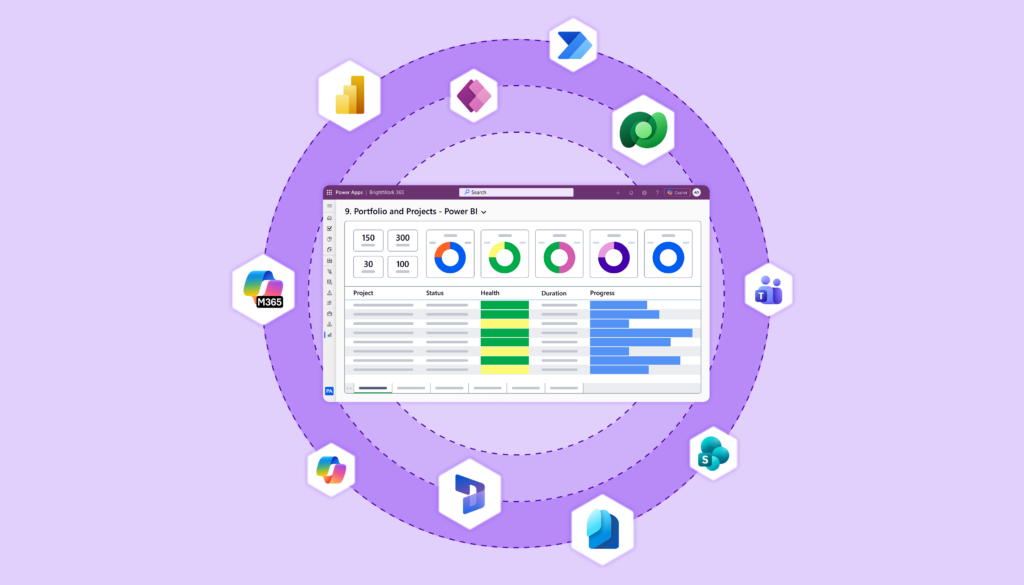
Microsoft 365 supports this through Power BI dashboards connected to standardized project data. Instead of chasing updates, stakeholders get a live view of project and portfolio health.
BrightWork 365 includes prebuilt Power BI dashboards designed specifically for PMOs – making portfolio reporting faster, clearer, and far more reliable.
Step 5: Governance
Apply Lightweight Governance with Automation
Governance is essential for consistency but it must be lightweight to succeed.
Effective governance in Microsoft 365 includes:
-
Standard approval workflows
-
Regular status reporting cycles
-
Clear escalation paths
-
Role-based permissions
Power Automate enables these processes to run automatically, reducing administrative overhead while ensuring standards are followed. This balance of structure and flexibility is critical to long‑term adoption.
Step 6: Adoption
Drive Adoption Using Familiar Microsoft 365 Tools
Standardization only works if people actually use the system.
Microsoft 365 reduces change resistance by allowing teams to continue working in familiar tools like Teams, Outlook, and SharePoint. BrightWork 365 enhances this experience by adding structure without disrupting how teams work day to day.
This “build on what people already know” approach is key to sustainable project management maturity.
Final Thoughts
Standardization enables better project outcomes.
Standardizing project management with Microsoft 365 isn’t about control – it’s about capability.
When organizations apply consistent structures, templates, and governance, they gain:
-
Predictable project delivery
-
Improved portfolio visibility
-
Faster decision-making
-
Continuous improvement based on real data
Microsoft 365 provides the platform. With the right framework and tools, it becomes a scalable project and portfolio management solution.