
Introduction
Why Microsoft 365 Is a Strong Foundation for Project Delivery
A mature PMO closes the loop by analyzing project outcomes. Lessons learned help organizations reduce repeat mistakes and continuously strengthen future delivery. BrightWork 365 guides teams through a structured post-project process that includes:
Microsoft 365 contains the core capabilities project teams need to work effectively: Microsoft Teams for collaboration, SharePoint for document management, Planner for lightweight task tracking, and the Power Platform for automation and analytics. What is often missing is a central project management framework that ties these elements together into a consistent, repeatable system.
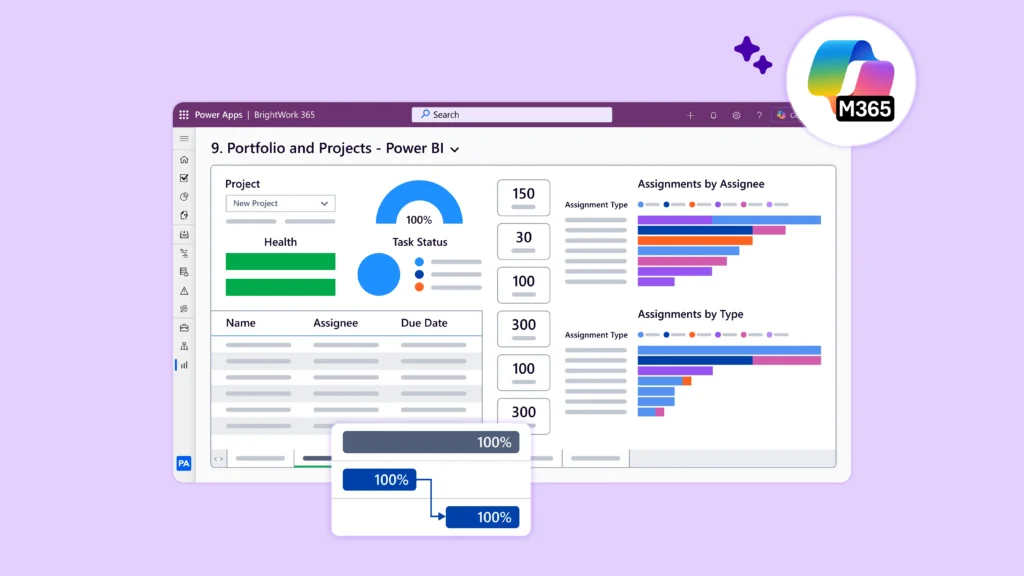
BrightWork 365 provides that missing structure. Built on Power Apps, Power Automate, and Power BI, it delivers project templates, dashboards, workflows, and governance models entirely within the Microsoft 365 environment. PMOs gain a single place to manage tasks, issues, risks, documents, lessons learned, and project requests – creating a scalable PPM approach without introducing external tools.
Key Takeaways
PMO leaders are increasingly turning to Microsoft 365 as a unified platform for project delivery. The ecosystem already supports collaboration, communication, reporting, and automation — making it a natural foundation for modern project and portfolio management (PPM). To fully unlock its potential, teams need structured processes, reliable governance, and tools that bring clarity to work.
BrightWork 365 builds this structure directly into Microsoft 365 through a configurable PPM solution grounded in best practices. This guide outlines proven approaches to task planning, risk management, and issue response, and explains how BrightWork 365 helps PMO leaders apply these practices consistently across every project.
Manage Tasks, Risks & Issues in Microsoft 365
For better project control and delivery outcomes
Effective Task Management in Microsoft 365 with BrightWork 365
Strong task management is the foundation of predictable delivery. Complex initiatives become manageable when teams break work into clear components, assign responsibilities, and track progress in real time.
1. Break Work into Manageable Tasks
Large projects are easiest to control when divided into stages, summary tasks, and detailed work items. BrightWork 365 supports a full Work Breakdown Structure using both Gantt and Grid views, so teams can visualize timelines or work in a spreadsheet-style interface depending on preference.
2. Assign Clear Ownership
Every task needs one accountable owner. BrightWork 365 enables assignment at the task level and surfaces all personal assignments in the My Work dashboard. Team members know exactly what they are responsible for, and project managers can quickly identify bottlenecks.
3. Prioritize Using Dependencies
Dependencies create a realistic schedule. BrightWork 365 supports predecessor and successor relationships so tasks occur in the correct sequence. Critical path work becomes easy to identify, giving PMOs a more accurate view of upcoming constraints.
4. Estimate Effort Collaboratively
Effort and duration estimates improve when they come from subject matter experts rather than a single individual. BrightWork 365 supports collaborative planning through accessible fields for duration, effort, expected timelines, and comments. Historical project data and lessons learned can also be reviewed to strengthen forecasting accuracy.
5. Review and Adjust Throughout the Project
Real projects rarely follow their initial plan perfectly. BrightWork 365 enables teams to baseline schedules and revisit them during each status cycle. Adjustments are straightforward and transparent, ensuring plans always reflect current reality.
Proactive Risk Management in Microsoft 365 with BrightWork 365
Successful PMOs treat risk management as an ongoing discipline, not a one-time exercise. Identifying threats early and preparing mitigation strategies can prevent minor uncertainties from escalating into major project issues.
1. Use a Structured Risk Identification Process
Strong risk management starts with a clear, repeatable process. Techniques such as brainstorming, SME interviews, reviews of prior projects, and structured checklists help teams surface potential threats before they materialize. BrightWork 365 provides a standardized risk register with fields for probability, impact, timing, descriptions, and categorization.
2. Prioritize Risks Using a Risk Matrix
Probability and impact scoring give a realistic view of severity. BrightWork 365 calculates risk scores automatically and displays them through reporting dashboards and Power BI visualizations, helping PMO leaders focus on the threats that matter most.
3. Assign Ownership and Accountability
Each risk needs a named owner responsible for monitoring conditions and activating mitigation steps. BrightWork 365 makes accountability explicit, aligning risk management with clear individual responsibility.
4. Document Mitigation and Contingency Plans
Response strategies — including avoidance, mitigation, transfer, and acceptance — should be documented early. Contingency plans are essential for high-impact risks. BrightWork 365 provides dedicated fields for mitigation steps, contingency actions, and related tasks, ensuring response plans are actionable and accessible.
5. Monitor and Update the Register Continuously
BrightWork 365 dashboards enable PMOs to review open, closed, and escalated risks across all projects at a glance. Regular updates keep teams ready for emerging changes and ensure alignment with current project conditions.
Strong Issue Management in Microsoft 365 with BrightWork 365
Even with excellent planning, issues occur. What separates high-performing PMOs from struggling ones is the ability to respond quickly and confidently.
1. Activate Contingency Plans Immediately
When a risk becomes an issue, predetermined response plans save time and reduce confusion. BrightWork 365 ensures contingency plans are documented and accessible so teams can act without hesitation.
2. Assemble the Right People Quickly
Microsoft Teams integration makes it easy to open communication channels, form a response team, and coordinate rapid resolution activities. BrightWork 365 provides the structure while Teams provides the interaction space.
3. Track Issues in a Central Register
BrightWork 365 includes a dedicated issue log that captures severity, impact, ownership, resolution steps, and due dates. PMOs gain real-time visibility into unfolding events and can ensure every issue is resolved and properly documented.
4. Maintain Transparent Stakeholder Communication
Clear, consistent updates keep stakeholders informed and aligned. BrightWork 365 supports structured updates and status reporting so that impacts, timelines, and next steps are communicated throughout the resolution process.
5. Document Actions and Validate Outcomes
Issue resolution is not complete until the impact is verified and steps are taken to prevent future recurrence. BrightWork 365 makes it easy to document actions taken, validate results, and capture everything for post-project review.
Capturing Lessons Learned in Microsoft 365
A mature PMO closes the loop by analyzing project outcomes. Lessons learned help organizations reduce repeat mistakes and continuously strengthen future delivery. BrightWork 365 guides teams through a structured post-project process that includes:
-
A safety check to encourage open and honest discussion
-
Analysis of gaps between the plan and actual events
-
Identification of trigger points that led to issues
-
A system-level fix to prevent recurrence
-
Recognition of successful approaches worth repeating
Lessons learned can be stored at the project, program, or portfolio level — building organizational knowledge that directly informs future planning, estimates, and risk discussions.
BrightWork 365
Why PMOs Choose BrightWork 365 for Microsoft 365 Project Management
BrightWork 365 adds the structure and discipline that Microsoft 365 needs to function as a full enterprise PPM platform. Key capabilities include: configurable project templates, central task/risk/issue registers, project request workflows, portfolio and program dashboards, Power BI reporting, Microsoft Teams and SharePoint integration, built-in lessons learned tracking, and a proven Start & Evolve approach supported by Customer Success Partners.
The result is a unified project management system that fits entirely within the existing Microsoft ecosystem – reducing the learning curve, lowering costs, and increasing adoption across the organization.
Conclusion
Task management, risk planning, and issue response are the three pillars of reliable project delivery. With the right tools and processes in place, PMOs can transform Microsoft 365 into a powerful project management environment that improves visibility, strengthens governance, and supports consistent execution.
BrightWork 365 brings this structure to life. By combining clear best practices with the familiar Microsoft 365 platform, it enables PMO leaders to standardize delivery, anticipate challenges, and build resilient project processes across the entire organization.