
Introduction
Microsoft Teams can support cross-agency project collaboration when participating organizations agree on workspace ownership, membership, document policy, decision records, and portfolio reporting before work begins.
Teams provides the collaboration space, while the PMO or designated coordinating body sets the common project structure and oversight process.
Decisions to make before opening the workspace:
-
Choose guest access, shared channels, or separate workspaces based on tenant configuration and agency policy.
-
Define ownership, membership approval, document locations, and decision authority before inviting participants.
-
Keep milestones, risks, dependencies, decisions, and reporting in a structured project record.
-
Plan membership reviews and workspace closure from the start.
-
Recheck Microsoft Government feature availability before rollout.
Essential Government Project Management Guide
Bring visibility and control to drive better government project outcomes within your Microsoft 365 environment.
Cross-agency work needs a shared operating boundary
Projects spanning agencies, departments, contractors, and community partners can fragment quickly. Participants may operate under different tenants, records policies, security rules, approval authorities, and reporting cadences.
Before creating a Team, agree on:
-
The organization that owns the workspace.
-
The people and groups allowed to participate.
-
The information allowed in the workspace.
-
The authoritative location for project documents.
-
The people who can approve membership changes.
-
The project data reported to each participating body.
-
The process for removing access and closing the workspace.
These decisions determine the collaboration design. A new Team cannot resolve them after the fact.
Choose the Microsoft access model first
Microsoft Teams offers several ways to work with people outside the home organization. Teams guest access can give external participants access to teams, channels, chats, meetings, files, and document collaboration after administrators align Microsoft 365, SharePoint, Microsoft 365 Groups, and Microsoft Entra settings.
Shared channels can include people outside the parent team. External shared-channel use requires cross-tenant configuration. The current Microsoft guidance for Teams shared channels explains the setup and policy dependencies.
The agency should compare:
Guest access
A guest joins the Team and receives the permissions configured for that workspace. This model can fit a project where external participants need access to several channels and shared files.
Shared channels
A shared channel can narrow collaboration to a specific channel rather than the full Team. Cross-tenant access and administrator configuration determine availability.
Separate internal workspaces
Some projects may need an internal Team for agency work and a separate approved space for shared coordination. The project manager then needs a process for publishing approved information across the boundary.
Information classification, tenant configuration, records requirements, participant types, and agency policy drive the choice.
Build the workspace around the initiative
Once the access model is approved, create a workspace that mirrors the project rather than the organization chart. See how Microsoft Teams project collaboration with BrightWork 365 connects project records and Teams workspaces.
A cross-agency initiative might use:
-
General for approved status, primary dates, and project-wide notices.
-
Delivery coordination for shared actions and dependencies.
-
Working groups for defined workstreams.
-
Decisions and approvals for review material and recorded outcomes.
-
Partner coordination for information approved for external participants.
Use private or shared channels only after checking their management and lifecycle implications. Keep the channel set small enough that participants know where work belongs.
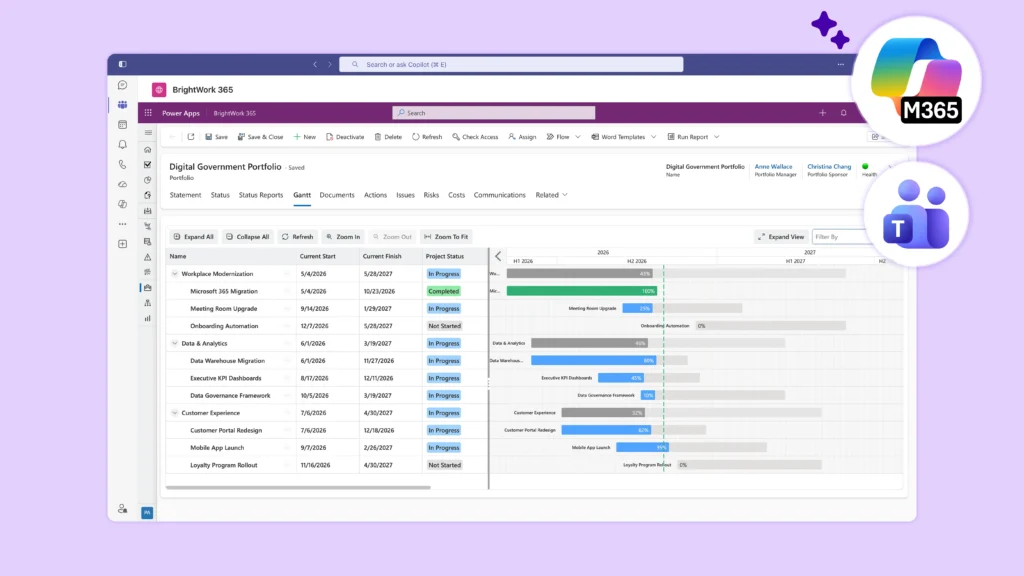
BrightWork 365 supports government project collaboration in Microsoft Teams with dedicated Teams, project channels, documents, meeting records, approvals, templates, and executive visibility. These capabilities support a project-workspace model.
Control membership as a project process
Cross-agency membership changes as staff rotate, contractors finish assignments, and working groups change.
Define:
-
Who can request access.
-
Who approves it.
-
Which channel or Team the person needs.
-
Start and end dates.
-
Required terms or training.
-
Review frequency.
-
Removal and handover steps.
Use groups where agency policy permits. Avoid unmanaged individual additions that the project owner cannot review later.
Teams guest access depends on organization-wide and connected Microsoft 365 service settings. Project owners should work with administrators rather than assuming an invitation will succeed.
Schedule membership reviews at major stage changes and before closure. Compare active participants with current project responsibilities during each review.
Set a document policy people can follow
A cross-agency project can generate plans, meeting material, contracts, public communications, technical files, and decision evidence. Some material must remain outside the shared workspace.
Create a short document map:
| Document type | Working location | Authoritative record | Access owner |
| Shared project plan | Approved project workspace | Named project library or system | Project manager |
| Meeting material | Relevant channel and library | Agency-defined record location | Meeting owner |
| Formal approval | Decision record with supporting link | Agency-designated system | Approving authority |
| Restricted agency material | Approved internal location | Owning agency system | Information owner |
The exact locations depend on policy. The table makes the decision visible to participants.
Link to a document instead of sending copies when possible. Use SharePoint Online document management where it is the approved working model under agency policy. Assign an owner for final versions. State what must move to a formal records system and who performs that action.
Record decisions across organizational lines
Cross-agency work slows when participants remember a decision differently. Keep a concise decision record with:
-
The issue.
-
Options reviewed.
-
Named decision authority.
-
Participating bodies.
-
Decision date.
-
Selected option.
-
Conditions and actions.
-
Supporting links.
The record does not replace a formal approval required by law or agency policy. It gives participants a shared account of the decision and follow-up actions.
If several agencies have separate approval authority, record each outcome. Do not collapse them into one approval status.
The government PMO governance guide covers decision rights and escalation in more detail.
Separate collaboration from portfolio oversight
Teams channels show working activity, but portfolio oversight still requires a structured project record and PMO process, which is where Teams falls short for project management.
A structured project record should hold the common information needed across initiatives:
-
Sponsor and project owner.
-
Participating organizations.
-
Current phase and overall status.
-
Major milestones.
-
Top risks and cross-agency dependencies.
-
Pending decisions.
-
Latest reporting date.
-
Link to the approved collaboration workspace.
The PMO can use those fields to identify stale status, delayed milestones, unresolved dependencies, and decisions needing higher authority without reading every channel before an executive review.
Plan the workspace lifecycle
A cross-agency Team needs an end state at creation. Record the expected close date, renewal owner, membership-review schedule, and required document and decision actions after closure.
At a stage change, review:
-
Active members and guests.
-
Shared and private channels.
-
Unfinished actions.
-
Current documents and links.
-
Decisions that need formal retention elsewhere.
-
Reports or data connections that should stop.
-
The owner of remaining commitments.
Closure may mean archiving the Team, removing external access, transferring approved records, or retaining a limited workspace under agency policy. Records, security, and service owners should approve the disposition.
Record the closure date, approving owner, final workspace state, and links to transferred records. Participants should know where approved information remains after collaboration ends.
Treat government service details as dated facts
Microsoft Government service availability varies across GCC, GCC High, and DoD. Feature availability can differ between environments.
As of September 2026, the current Microsoft Teams service description lists shared channels as available in GCC and unavailable in GCC High and DoD. This statement describes Microsoft Teams service availability, not BrightWork 365 compatibility.
Do not transfer a Microsoft service statement to a partner product. Confirm tenant, cloud, identity, access, data, records, and application requirements with the responsible agency teams and providers.
The guide to keeping government project data inside Microsoft 365 covers the security review questions in more detail.
Pilot a full cross-agency cycle
1. Start with one workstream
Choose a project area with a real external participant and an approved information boundary.
2. Test membership
Add the participant through the selected Microsoft access model. Confirm the intended channels and files are available while other content stays inaccessible.
3. Test a document
Create, review, revise, and approve a representative shared document. Confirm the authoritative location.
4. Test a decision
Run one cross-agency decision through review and record the participating authorities, outcome, and actions.
5. Test reporting
Update the project record and use consistent portfolio reporting examples to confirm the PMO can compare milestones, risks, dependencies, and decisions without opening each Team.
6. Test removal
Remove or expire access and confirm the project retains the approved information required for its process.
Record gaps and ownership before expanding the design.
Common questions about cross-agency Teams collaboration
Can people from another agency join a Microsoft Team?
Microsoft guest access or shared channels may support external collaboration after the required tenant, identity, and service configuration. Agency policy and the Microsoft environment determine the approved model.
Does a shared channel give access to the full Team?
No. A shared channel is designed for channel-level collaboration. Administrators must configure cross-tenant access for external shared-channel scenarios.
Can BrightWork 365 run in every Microsoft Government cloud?
Supported environments depend on the agency’s Microsoft cloud, tenant setup, and licensing. Confirm them with BrightWork before planning a rollout.
How does the PMO report across agency workspaces?
Use a common project portfolio view with agreed status, milestones, risks, dependencies, decisions, and reporting dates, then link each project record to its collaboration workspace.
Agree on the boundary before opening access
Cross-agency collaboration works when participants know where they can work, what they can share, who can decide, and how the initiative reports status. Set those rules first, then configure Teams and the project-management layer.
To review a structured public-sector approach, see BrightWork 365 for government project management in Microsoft 365 and use an approved cross-agency scenario for the product demonstration.