
If you speak to most project leaders, you’ll hear a familiar story.
Projects are happening everywhere across the organization, but no one really has a clear, consistent view of what’s going on. Some teams follow structured processes. Others run things informally. Senior leaders are asking for updates, but getting them is slow, inconsistent, and often incomplete.
At some point, the question comes up:
“Do we need a PMO?”
And then quickly after:
“Where do we even start?”
The challenge isn’t just building a Project Management Office. It’s building one that people actually adopt, especially in organizations already working inside Microsoft 365.
This article walks through a practical, proven approach to setting up a centralized PMO in Microsoft 365, based on how modern organizations are doing it today using tools like BrightWork 365.
What Is a Centralized PMO in Microsoft 365?
A centralized PMO in Microsoft 365 is a structured way to manage projects, portfolios, and governance using the tools your organization already relies on: like Teams, SharePoint, Power Apps, and Power BI.
At its core, it delivers three things:
-
Standardization across projects
-
Visibility across portfolios
-
Control for leadership
But the key difference isn’t just technology. It’s how you introduce it.
Because the fastest way to fail with a PMO is to roll out too much process, too quickly.
Why Most PMO Initiatives Struggle
Before looking at the solution, it’s worth understanding the problem.
In many organizations, project management evolves organically. Different departments develop their own ways of working. Some teams use spreadsheets. Others rely on meetings. Some use tools, but not consistently.
This leads to a range of issues:
-
Projects start without clear ownership or governance
-
Teams use inconsistent methods and templates
-
Leaders lack real-time visibility into progress
-
Reporting becomes manual and time-consuming
-
Teams resist new processes because they feel overwhelming
So even when leadership recognizes the need for a PMO, there’s a risk that introducing structure could actually slow things down or face resistance.
The real challenge is not whether to build a PMO, but how to introduce it in a way that works.
A Smarter Approach: Start → Evolve
Instead of trying to design the “perfect” PMO from day one, a more effective approach is to build it in stages.
This is where the Start / Evolve model becomes powerful.
Rather than forcing a fully matured system upfront, you:
-
Start with the simplest possible structure
-
Deliver immediate value to users and leadership
-
Iterate and expand over time as adoption grows
This approach mirrors how successful organizations adopt new systems more broadly: through momentum rather than enforcement.
Step 1: Start Fast with Simple Project Tracking
The first step in building a centralized PMO isn’t complexity, it’s visibility.
A simple project tracker can go a long way.
At this stage, each project only needs a few core elements:
-
A project charter: what the project is, who owns it, and what success looks like
-
A status view: current progress, key indicators, and basic timelines
Optionally, you may also include:
-
A list of team members
-
A small set of key documents
That’s it.
No extensive workflows. No heavy governance. No complex task structures.
This approach works because it removes friction. Teams can start using it immediately, without feeling like they are being burdened with process.
At the same time, it gives the organization something it previously lacked:
a single place to see all projects.
Step 2: Give Leadership Immediate Visibility with Dashboards
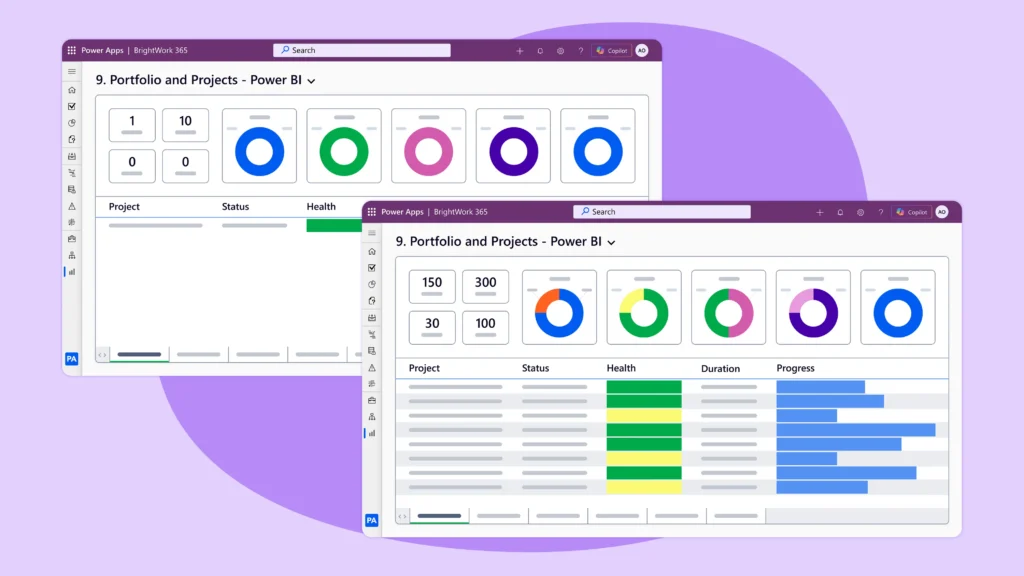
Once projects are being tracked (even in a lightweight way), you can unlock one of the biggest benefits of a centralized PMO: portfolio visibility.
Using portfolio dashboards, senior leaders can quickly answer questions like:
-
Which projects are on track?
-
Which ones are at risk?
-
Who is managing what?
-
Where are the bottlenecks?
Instead of chasing updates across teams, leadership now has a real-time view of project health.
Even more importantly, dashboards can be delivered in ways that fit how executives work:
-
Automatically via email
-
Embedded in PowerPoint presentations
-
Interactive dashboards through Power BI
This is often the point where the PMO starts gaining real traction not just with project managers, but with executives.
Because now it’s clearly solving a business problem.
Step 3: Introduce More Structure Gradually
Once teams are comfortable with basic tracking, the next step is to introduce more structured project management. But only where it’s needed.
Not every project requires the same level of control.
Some projects are simple and move quickly. Others are complex and require detailed planning and coordination.
This is where using different types of project management templates becomes valuable.
For example:
-
A tracker template for simple projects
-
A standard template adding task management and reporting
-
A structured template with risks, costs, and governance
Instead of applying the same process everywhere, teams can use the level of structure that fits their project.
And importantly, projects can evolve.
If a project becomes more complex, it can move from a lightweight tracker to a more structured approach without starting from scratch.
Step 4: Bring the Team Into the Process
A PMO isn’t just for project managers. It needs buy-in from the entire team.
That means making it easy for individuals to engage with their work.
One of the most effective ways to do this is through a “My Work” view.
This allows team members to:
-
See everything assigned to them
-
Update progress quickly
-
Track work across multiple projects
Instead of navigating complex systems, they simply focus on the tasks that matter to them.
When combined with Microsoft Teams integration, this becomes even more powerful, bringing project collaboration into the tools teams already use daily.
Step 5: Add Governance Before Projects Start
Up to this point, the PMO has focused on managing active projects.
The next stage is about improving how projects start in the first place.
This is where request management comes in.
Rather than projects beginning informally, you introduce a simple intake process:
-
Request forms capture key project details
-
Approvals ensure the right stakeholders are involved
-
Governance defines ownership and scope
This helps ensure that:
-
The right projects get approved
-
They start with the right information
-
They are set up for success from day one
For many organizations, this is where the PMO shifts from operational support to strategic impact.
Step 6: Mature with Insights, Resources, and Security
As your PMO evolves, you can introduce more advanced capabilities.
Resource Management
Understanding capacity becomes critical as project volume grows.
With resource utilization views, you can:
-
Identify overloaded team members
-
Spot underutilized capacity
-
Rebalance workloads across projects
Insights and Adoption Tracking
A mature PMO isn’t just about process; it’s about continuous improvement.
Insights dashboards allow you to see:
-
Which features are being used
-
Where adoption is strong or weak
-
What aspects of the PMO are delivering value
This helps you refine your approach over time.
Security and Access Control
Finally, as project data grows, security becomes essential.
A centralized PMO in Microsoft 365 can support:
-
Department-based access
-
Portfolio-level visibility controls
-
Confidential project restrictions
This ensures the right people see the right information without compromising collaboration.
Ready to Build Your PMO in Microsoft 365?
If you’re looking to bring structure, visibility, and control to project management (without overwhelming your teams) the Start → Evolve approach offers a practical path forward.
Platforms like BrightWork 365 are designed specifically for this model, helping organizations:
-
Get started quickly with project tracking
-
Evolve into full portfolio management
-
Stay fully integrated within Microsoft 365
👉 Request a BrightWork 365 demo to see how your PMO could work in practice
👉 Or explore how other teams are managing projects inside Microsoft 365