
Power BI dashboards only work when they connect to a consistent, governed source of project data. The platform alone does not supply the intake processes, templates, or governance rules a Project Management Office (PMO) needs.
Without a standard operating model, a portfolio dashboard simply puts impressive graphics over inconsistent information.
In this article, you will learn:
-
Where Power BI fits into a project reporting setup.
-
What foundation must exist before you can trust a portfolio report.
-
Which access and data decisions you need to make first.
-
How packaged options like BrightWork 365 connect the project process with Power BI.
Power BI Is the Reporting Layer, Not the Whole PPM System
Power BI gives you a powerful analytics and presentation layer. It combines approved sources, creates measures, and lets readers click from a high-level portfolio view straight to the underlying data.
But you have to separate the reporting layer from the source records. A project portfolio system collects and governs requests, schedules, costs, risks, and status updates. Power BI simply reports on the information it receives.
The Two Questions Separating the Layers
Microsoft’s documentation on Power BI semantic models explains that reporting relies on a prepared data model. This model can import data, use DirectQuery, or rely on an external host. Every path still requires defined sources, relationships, calculations, and clear ownership.
To separate the two layers, ask two questions:
-
What process creates and maintains your project records?
-
What reporting service turns those records into visual portfolio views?
Power BI answers the second question. Your PPM process and system must answer the first.
Reliable Portfolio Dashboards Start Before Power BI
A portfolio report only gains credibility when projects use the same definitions. If one team marks a project red right after a missed milestone, but another team waits for a budget change, your executive report compares unlike records.
The PMO needs absolute agreement on the information every project must provide. That usually includes:
-
Request and approval status
-
Project owner and sponsor
-
Planned and actual dates
-
Health and status definitions
-
Budget and cost fields
-
Risks, issues, and actions
-
Program and portfolio relationships
-
Reporting dates and update owners
Your system should make these fields easy to complete and hard to bypass. Templates, required fields, approval stages, and scheduled status routines help build comparable records.
Power BI can then calculate and present measures from that solid foundation. A visual might show projects by health, overdue tasks, or schedule position. The report gains value from the consistency of the records behind it, not from the specific chart type you choose.
What Power BI Contributes to Project Portfolio Management
Power BI gives a PMO several reporting capabilities that support portfolio decisions. These applications of Power BI for project management include consolidating project information, monitoring performance, and presenting portfolio data to decision-makers.
A Shared Reporting Model
A semantic model organizes data from one or more approved sources and defines the relationships and calculations used across reports. PMOs can reduce conflicting calculations when report authors use the exact same model and measure definitions.
Portfolio and Project Views
Reports can present an executive portfolio summary, a program view, and project-level detail from a single model. Filters help a reader focus on a business unit, portfolio, program, project manager, status, or reporting period.
Trend and Exception Reporting
A static status snapshot shows your current position. A reporting model with retained history can also show movement, such as health changes, late milestones, budget variance, or unresolved issue trends. The source system must retain the fields and dates required for that specific analysis.
Controlled Report Access
Power BI workspaces, apps, sharing settings, and permissions dictate who can publish or view reports. Teams should define how they will share Power BI reports before they finalize workspace access, licensing, and governance decisions. Row-level security can restrict semantic-model rows for users with Viewer access, but Microsoft notes that it does not restrict workspace Admin, Member, or Contributor access. A PMO should treat row-level security in Power BI as one part of a wider permission design.
What the PMO Still Needs Outside Power BI
Power BI cannot approve a project request just because the request shows up in a report. It also cannot decide which template a project uses, force a sponsor to approve funding, or assign an owner to a missed status update. You need a process and a supporting application for that.
The PMO still needs:
-
An intake path for new work
-
Review and approval stages
-
Project templates suited to different delivery types
-
A standard place to update project records
-
Governance rules for status, risk, cost, and schedule
-
Ownership for data quality and late updates
-
A process for changes to fields, measures, and reports
These controls build the operating model that feeds your dashboard. A structured PPM implementation should define the governance, ownership, processes, and adoption plan behind the reporting layer. Power BI can expose missing or inconsistent records, but your PMO needs a process to fix them.
This distinction matters heavily during software selection. A team with a governed project system might only need a new reporting model. A team working across disconnected spreadsheets and email threads needs a solid PPM foundation before a new dashboard can solve their larger problem.
Build the Reporting Setup or Start With Packaged PPM Dashboards
Both paths can work. The right fit depends on your existing data model, Power BI skills, governance maturity, timeline, and maintenance capacity.
| Decision Area | Build From the Current Data Estate | Start With a Packaged PPM Setup |
| Project Data | Works when current sources already use consistent fields and relationships. | Supplies a defined project data structure as part of the PPM product. |
| Report Design | Gives the team full control over models, measures, and layouts. | Starts with prepared reports that can be configured for the deployment. |
| Initial Work | Requires source mapping, model design, measures, testing, permissions, and release planning. | Still needs configuration, data decisions, access design, testing, and adoption work. |
| Ongoing Ownership | The organization owns model changes, source changes, refresh, access, and report support. | Product and service support may reduce custom work, while the customer still owns its data and operating choices. |
| Best Fit | Teams with a stable data foundation and available Power BI capacity. | PMOs that need PPM process and reporting together in Microsoft 365. |
A packaged option should not be treated as zero work. The PMO must still confirm field definitions, reporting needs, permissions, source quality, refresh schedules, and who will maintain the setup.
Five Questions to Ask Before You Commit
1. Where do the project records come from?
List every system, table, file, and manual update feeding the reports. Confirm which source controls each field and how you will handle duplicate records.
2. How will data freshness work?
Imported models need scheduled refreshes. DirectQuery sends queries to the source when a visual runs, depending heavily on source connectivity and performance. Microsoft’s Power BI refresh guidance should inform your design, testing, and support plan.
3. Who can publish, share, and view?
Access depends on the workspace, sharing method, user license, capacity, and permissions. Microsoft documents current Power BI license and feature conditions. Confirm your expected publishers and viewers before rollout. Do not wait to add access after the reports are complete.
4. Who owns the model after launch?
Assign specific owners for source changes, measures, refresh failures, permission reviews, report updates, and support requests. A dashboard quickly becomes hard to trust when nobody owns the definitions behind it.
5. Does the PMO need reporting alone or a PPM process too?
If intake, approvals, templates, status routines, and portfolio records already run smoothly, a reporting project might be enough. If those areas remain inconsistent, you should evaluate the PPM foundation and the reporting layer together.
How BrightWork 365 Connects PPM Data and Power BI
BrightWork 365 provides project portfolio management in Microsoft 365. This includes project request forms, review stages, approvals, templates, and project creation from approved requests. These functions give your PMO a structured path to create and maintain the records that support your reporting.
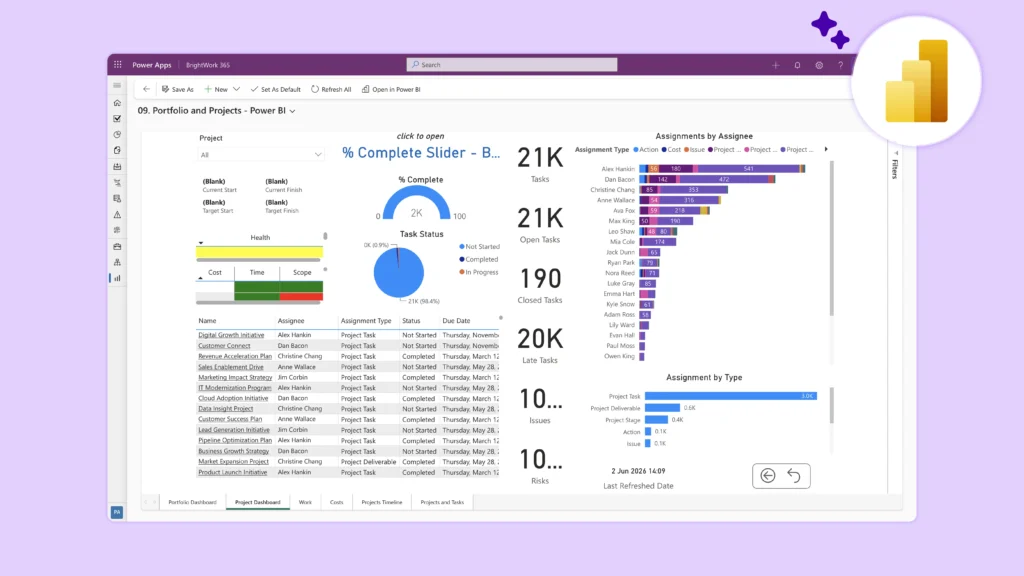
BrightWork also provides BrightWork 365 Power BI dashboards. The current setup features a portfolio dashboard, project and task timelines, and an all-work view. Users can filter across portfolios, programs, projects, and specific project managers.
This combination suits PMOs that want a Microsoft 365 project process and prepared Power BI reporting rolled into one deployment. The final fit still depends on your organization’s specific data fields, report needs, licenses, access model, and configuration choices.
Common Questions About Power BI for PPM
Can Power BI replace PPM software?
Power BI can replace or improve a reporting layer. It cannot supply the intake, approval, template, governance, and status-management functions expected from dedicated PPM software. The answer depends heavily on which of those functions your organization already has in place.
Does Power BI connect to Dataverse project data?
The Power Query Dataverse connector supports Power BI semantic models using Import and DirectQuery options. The implementation still requires a defined environment, approved tables, read permissions, established relationships, careful model design, and a solid refresh or query plan.
Do all report viewers need the same Power BI license?
No single answer covers every sharing setup. License needs depend on the publisher, viewer, workspace, capacity, and sharing method. Check Microsoft’s current licensing guidance and your tenant configuration before you roll out the reports.
Choose the Reporting Layer and PPM Foundation Together
Power BI gives a PMO clear portfolio reporting when the data model and project processes already produce dependable records. If your inputs remain fragmented, your reporting project must address the PPM foundation at the same time.
BrightWork 365 combines a Microsoft 365 project portfolio process with prepared Power BI reporting. Request a BrightWork 365 demo to review the dashboards, source records, permissions, and configuration against your exact PMO requirements.