
Manufacturing projects rarely stay confined to a single team. A typical plant upgrade quickly pulls in operations, engineering, maintenance, quality control, procurement, finance, and executive leadership.
Similarly, a quality improvement initiative requires tightly controlled documentation, cross-functional tasks, formal sign-offs, and clear records of status changes. Capital projects demand monthly reporting on costs, schedules, risks, and strategic decisions.
In this article:
-
Manufacturing project management software must control requests, project plans, documentation, risks, approvals, and portfolio reporting, rather than task lists alone.
-
Microsoft 365 provides manufacturers with excellent building blocks through Teams, SharePoint, Power Automate, Power Apps, and Power BI, but these utilities still require a unifying operating model.
-
BrightWork 365 serves manufacturing teams that already work within Microsoft 365 and need structured project intake, standardized templates, automated workflows, and guided adoption.
-
The most reliable buying test is simple: decide exactly where project management ends and where ERP, MES, Microsoft Dynamics 365, or production systems begin.
Evaluating manufacturing project management software requires a different lens. You have to look past simple task lists, Kanban boards, and Gantt charts. The real challenge is finding a tool that gives your manufacturing PMO enough structural control to manage project lifecycles without trying to replace your existing production systems.
For teams already invested in Microsoft 365, the goal is to keep project work close to the collaboration tools employees use daily. Adding a stronger operating layer around intake, templates, reporting, and governance solves the central struggle of manufacturing project management on Microsoft 365 and the Power Platform.
Why Manufacturing Projects Need More Than Task Tracking
Task tracking has its place. It helps individual contributors see their assigned work and upcoming deadlines. Manufacturing PMOs usually need a broader view because project work spans plants, offices, systems, and reporting cycles.
The challenge is practical:
Plant and office status gaps
A maintenance lead may share updates during a plant floor huddle, while an engineer tracks progress in a local spreadsheet. The PMO still needs one way to connect project requests, schedules, risks, and document updates across production facilities.
Spreadsheet-based CAPEX tracking
Capital project reporting can turn into a monthly collection exercise. Core financial systems should remain the source of financial truth, while project software helps the PMO monitor health, lifecycle stage, decisions, and delivery risk.
Quality and engineering change work
Quality initiatives and engineering changes need templates, review steps, controlled documents, decision history, and task accountability. The project system should manage the collaborative work around quality and engineering systems, not replace them.
Manual reporting cycles
When project managers submit updates in different formats, reporting slows down and creates debate over which status is current. Leaders need to see late projects, escalating risks, overloaded teams, and work tied to operational priorities.
This visibility gap challenged Ascend Performance Materials, a Houston-based manufacturer with five plant locations across the southeastern United States, before the company established a structured PMO to track project status, issues, and milestones.
Power BI dashboards work best when the underlying project data remains consistent. A structured approach helps leaders view performance across plants, departments, and portfolios without rebuilding the same reports every month.
What to Control Before You Compare Software
Before looking at software vendors, map out your desired project management operating model. This prevents a common mistake: purchasing a platform before deciding how project work should actually flow through the organization.
For manufacturing teams, a strong operating model must answer several practical questions:
-
Which project categories require a standardized, formal request process?
-
Which initiatives must receive official sign-offs before any work begins?
-
What specific templates are needed for plant upgrades, continuous improvements, quality compliance, engineering changes, and capital projects?
-
Where should project documentation reside within SharePoint?
-
Which core status fields must every project manager update weekly?
-
What are the escalation rules for risks, issues, and major decisions?
-
Which reports do PMO leaders and executives expect to see on a monthly basis?
-
What data must remain strictly inside your ERP, MES, Microsoft Dynamics 365, or production systems?
-
What Microsoft licenses and tenant permissions are already active in your organization?
Defining these boundaries prevents the PMO from trying to use project software as a replacement for operational tools. The project layer should focus purely on organizing project delivery, leaving ERP, MES, Microsoft Dynamics 365, and other specialized shop-floor systems to handle the production jobs they do best.
How Microsoft 365 Supports Manufacturing Project Management
Manufacturing teams already using Microsoft 365 for project work can keep collaboration, document storage, automated workflows, and reporting inside a secure, familiar environment. The missing ingredient is structure. The PMO must unite these individual building blocks around a repeatable project framework.
Microsoft 365 as the Project Work Environment
Microsoft 365 offers a highly familiar space to coordinate work across plant teams, engineering, quality control, procurement, finance, and executive leadership.
Microsoft Teams hosts daily conversations and meetings, SharePoint stores project documentation, and the Power Platform handles custom apps, automated workflows, and data visualization. However, on their own, these tools do not provide a standardized intake process, unified portfolio dashboards, or consistent status reporting.
SharePoint and Power Automate for Documents and Approvals
Quality records, engineering drawings, and regulatory sign-offs require strict version control, making SharePoint project document management a natural choice for the project repository. Furthermore, manufacturing PMOs require dependable approval paths for capital expenditures and engineering changes.
Standardizing approval routings, weekly status reminders, and phase-gate approvals is straightforward when PMOs construct Power Automate project workflows around a defined request process. BrightWork 365 supplies the necessary intake structure to ensure PMOs review, approve, and launch new initiatives consistently.
Power BI for Manufacturing Portfolio Visibility
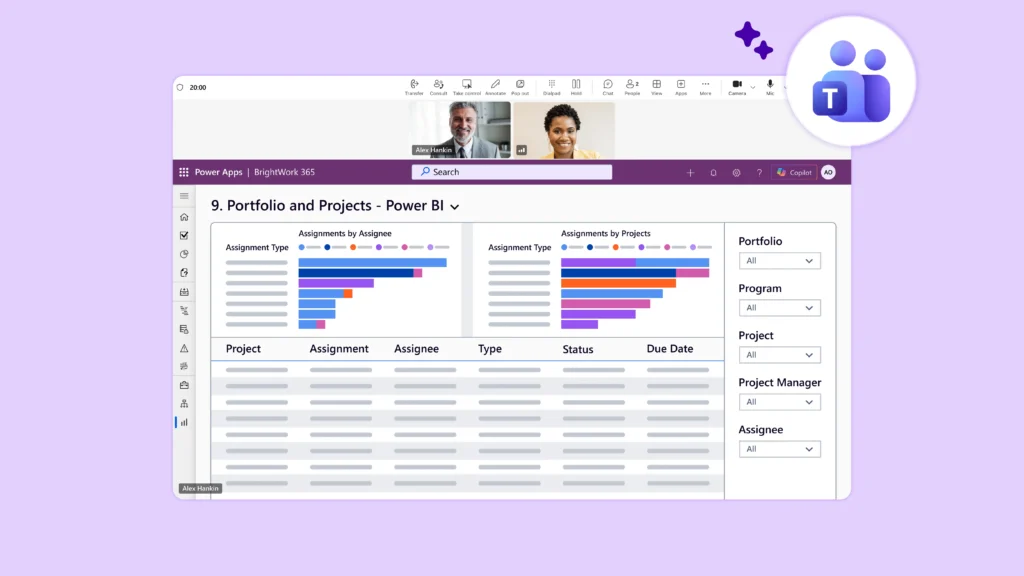
PMO leaders need a real-time view of project status, risks, issues, and timelines without spending days compiling reports. Utilizing Power BI manufacturing dashboards becomes highly effective when every project manager feeds data into a standardized reporting structure.
While Microsoft 365 provides the raw ingredients, a PMO still needs a project and portfolio layer to enforce consistent intake, template usage, and reporting. BrightWork 365 adds this necessary structure, serving as the governance layer that defines how projects are requested, managed, and audited.
How BrightWork 365 Adds PMO Structure in Microsoft 365
BrightWork 365 is a dedicated project and portfolio management solution built directly on Microsoft 365. The platform includes ready-to-use templates, Power Automate workflows, Microsoft Teams integration, SharePoint Online document collaboration, and Power BI reporting.
It provides a highly practical solution when a manufacturing PMO needs more control than basic spreadsheets, Planner boards, or loose SharePoint sites can deliver.
Intake and Governance
-
Standardized project request capture, multi-stage review workflows, and automated approval alerts.
-
Configurable templates designed for varying project types and organizational maturity levels.
-
Seamless transition from approved request to active project workspace.
Project Delivery
-
Project-specific collaboration channels in Microsoft Teams.
-
Structured document management and co-authoring in SharePoint Online.
-
Instant visibility into project health, status, active tasks, risks, and issues.
Portfolio Visibility and Maturity
-
Out-of-the-box Power BI and Power Apps dashboards for project, program, and portfolio oversight.
-
Detailed drill-down capabilities for PMO directors and corporate executives.
-
Integrated resource visibility and workload reporting customized to your PMO processes.
-
Structured rollout support and ongoing guidance via BrightWork’s Start-Evolve framework.
Where BrightWork 365 Fits in the Manufacturing Stack
BrightWork 365 serves as a governed project management layer sitting inside your Microsoft 365 environment. It standardizes intake, templates, and reporting without forcing your staff to manage their work in an external, non-Microsoft utility.
This boundary is important. BrightWork 365 is not an MES, ERP, production scheduling utility, or a replacement for Microsoft Dynamics 365. It sits alongside these systems as a dedicated PPM layer, while your operational software continues to govern production runs, inventory counts, corporate finance, and shop-floor execution.
Buyer Checks Before Shortlisting Tools
Before selecting manufacturing project management software, confirm three practical fit points:
-
Project fit – Identify which project types need structured intake, templates, approvals, and reporting. Plant upgrades, quality compliance projects, engineering changes, maintenance shutdowns, and new product introductions may need different levels of control.
-
System fit – Decide which data belongs in the project system and which data must stay in ERP, MES, Microsoft Dynamics 365, or other operational systems. The project layer should organize delivery, not replace production or finance systems.
-
Microsoft readiness – Confirm Power Platform environments, Dataverse capacity, Power BI setup, admin permissions, and user licensing before rollout.
Bring operations, IT, finance, quality assurance, and project managers into the final decision. Each group owns part of the manufacturing project reality, and the software choice will be stronger when the first rollout solves a visible pain point such as request confusion, manual reporting, or scattered documentation.
A Practical Next Step for Microsoft 365 Manufacturing Teams
Manufacturing project management software should make project work easier to track, simpler to govern, and faster to report. It must not force your teams to abandon Microsoft 365, nor should it blur the line between project execution and daily shop-floor operations.
For Microsoft-first manufacturing organizations, the clearest path forward is to define your project layer. Decide exactly:
-
How new requests enter the PMO.
-
How approved projects are launched.
-
Where project documentation is stored.
-
How approvals route between departments.
-
What reports senior leadership expects to see.
-
Which data remains strictly within operational systems.
Use a single active manufacturing portfolio as your initial test case. Trace where those requests originate, identify the key fields leadership needs for portfolio reviews, determine who owns each update, and verify your Microsoft licensing requirements before launching.
When the Portfolio Needs More Than Task Coordination
Simple task coordination rarely requires a comprehensive PMO operating layer. However, a growing, complex project portfolio absolutely does. BrightWork 365 fits perfectly when that governance layer needs to live securely inside Microsoft 365, leveraging pre-configured templates, automated workflows, Teams chat, SharePoint files, and Power BI.
The ultimate purchase test is not “Which tool offers the longest list of features?” The far better test is “Which tool helps our manufacturing PMO build a repeatable, governed project system that our people will actually use?”
To see how this works in practice, watch the BrightWork 365 demo and explore how structured intake, tracking, and portfolio visibility operate within your Microsoft 365 environment.