
Project Online is retiring, but simply swapping out one application for another will not solve the underlying challenge. Instead, Microsoft 365 teams must evaluate the specific type of work they are trying to manage.
A basic task layer, a dedicated PMO layer, and an isolated work platform each address entirely different organizational needs.
According to Microsoft’s official Microsoft announcement, sales of Project Online-only SKUs for new customers ended on October 1, 2025, and the platform will officially retire on September 30, 2026.
This article bypasses basic feature checklists to focus on the operating models behind your main alternatives.
Why The Alternatives Are Not Interchangeable
Your eventual choice depends on data location, governance rules, reporting needs, and rollout support.
A simple task board is great for tracking daily activities. A PMO layer standardizes project intake, templates, and reporting. A standalone platform moves your entire system outside the Microsoft 365 tenant. These paths lead to vastly different outcomes.
The smartest question to ask is not which software has the most buttons. Rather, you must decide where your project data should live and how much direct control your PMO requires.
The Main Operating Models
Operating Model – Microsoft 365 task layer
-
Best fit – Small teams and light coordination
-
What stays in Microsoft 365 – Tasks, chat, and simple collaboration
-
What changes – Limited PMO structure
Operating model – Micorosft 365 PMO layer
-
Best fit – PMO teams that want intake, templates, and reporting
-
What stays in Microsoft 365 – Collaboration, identity, and project data inside Microsoft 365
-
What changes – More structure and rollout support
Operating model – Standalone work platform
-
Best fit – Teams that want a separate system for work management
-
What stays in Microsoft 365 – Basic Microsoft identity or integration only
-
What changes – Project data moves outside the Microsoft 365 operating layer
Compare Data Location, Governance, and Reporting First
If your organization is migrating off Project Online, start by analyzing data location. Keeping work inside Microsoft 365 means project files, user permissions, and custom reports remain within the ecosystem your staff already navigates.
Transitioning to a separate platform introduces an entirely new system, meaning your team must adapt to a new home for status updates, document storage, and historical files.
Governance and PMO Control
Next, consider governance. PMO leaders who require standardized request pathways, strict template controls, and phase-gate approvals need more than a basic task board. This is where a native Microsoft 365 PMO layer outpaces a simple task application.
Portfolio Reporting and Source Data
Then, evaluate reporting. If executives expect portfolio dashboards inside Power BI, or if teams want project status connected directly to Microsoft Teams, a native Microsoft 365 based model is far easier to maintain. While generating reports inside an external, standalone platform is entirely possible, it fundamentally alters where your underlying project data sits.
Microsoft 365 Task Layer
Microsoft has consolidated its project capabilities by moving Project for the web into Microsoft Planner. Consequently, Planner now handles both lightweight task coordination and more advanced project planning paths.
Planner fits well when project coordination stays local, teams only need basic assignments and deadlines, and the PMO does not require overarching portfolio control.
This consolidation makes Planner a key option in the migration conversation. It offers teams a straightforward path to manage daily tasks without leaving their current environment. Microsoft’s Planner plans and pricing resource outlines the active plans available for task and project management.
When Planner Is Enough
Planner is an excellent fit for departmental tasks, small project groups, and internal coordination that does not require formal executive screening. Team members can view assignments, update their progress, and keep work moving without the overhead of a complex PMO platform.
The trade-off is clear. While Planner excels at task execution, it is not built to serve as a portfolio management system. If leadership expects a standardized intake pipeline, repeatable templates, or cross-project status rollups, the PMO will need to construct that functional layer elsewhere.
Microsoft 365 PMO Layer
This serves as the middle path for organizations that require structured project controls but want to avoid moving their work to an external platform.
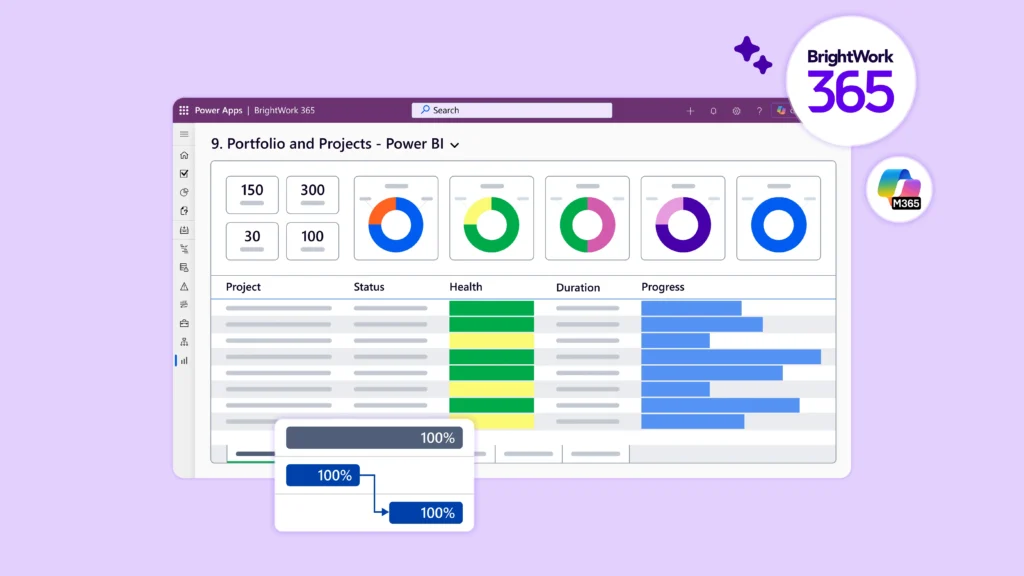
BrightWork 365 is designed specifically to fill this gap. Deployed directly within the customer’s Microsoft 365 tenant, the platform leverages Teams, SharePoint Online, Power Apps, Power Automate, Power BI, and Dataverse. Because growing PMOs need a secure gate for incoming initiatives, BrightWork 365 includes native project request management to capture, review, and approve proposals before they launch.
The real value here lies in bringing systemic order to the tools your staff already understands. It structures the workspace so that project launches remain consistent, executive reporting stays standardized, and approvals follow a clear path.
The organization retains its existing Microsoft identity framework, Teams channels, and SharePoint permissions, but the underlying process gains a firmer shape.
This approach also eliminates the “build-it-yourself” challenge. While many IT teams can patch together a custom solution using SharePoint lists, Power Automate, and custom Power BI views, BrightWork 365 provides a pre-packaged, fully supported governance layer.
Standalone Work Platform
Standalone software like Asana, monday.com, Smartsheet, Wrike, ClickUp, and ProjectManager can suit organizations seeking a dedicated, independent operating system for work.
This can be a highly practical choice if your business already operates across a wide range of non-Microsoft software, if departments prefer self-serve workflow builders, or if the PMO is prepared to manage its project databases completely outside of Microsoft 365.
This route is not incorrect. However, it changes where your valuable project data resides and how your team interacts with it daily.
When a Separate Work Platform Fits
External platforms are especially useful if your organization is highly decentralized, with multiple departments that do not share a common Microsoft-first setup. In these scenarios, the benefit of a unified, standalone system can easily outweigh the friction of migrating files, dashboards, and daily habits to an external tool.
Even so, the PMO should treat this transition as a significant change management program. Adopting a standalone platform demands new login routines, unfamiliar reporting structures, and a dedicated team to manage rollout and long-term user support.
How BrightWork 365 Fits Microsoft 365 PMO Teams
BrightWork 365 aligns directly with the Microsoft 365 PMO layer. It keeps active project execution integrated with Teams, SharePoint, and Power BI while introducing robust controls for intake, delivery, and portfolio status.
This integration provides exactly what many Project Online teams are looking for as they prepare for retirement. They do not want another lightweight task board. They need a secure Microsoft 365 operating layer that manages requests, active projects, and portfolio status in one place.
Intake and Approvals
BrightWork 365 organizes the capture, scoring, and formal approval of new requests. This provides PMO directors with a reliable decision gate before any resources are committed, a feature missing from simple task boards.
Templates and Standard Delivery
Standardized execution begins with a consistent project structure. BrightWork 365 equips PMO leaders with project and portfolio management templates tailored to different project types, rather than forcing every department to use the exact same setup.
These templates ensure every project starts with a uniform structure, giving leadership a predictable view of project scope, timelines, and risks.
Reporting and Rollout
Reporting fits natively within your Microsoft 365 architecture, with dashboards built on Power BI and Power Apps. Additionally, teams moving off Project Online require a clear transition strategy alongside their new software.
The BrightWork 365 Start Service provides guided implementation support to help PMOs launch successfully, while the system’s licensing and installation requirements remain aligned with the customer’s Microsoft tenant, Power Platform, Dataverse, and Power BI configurations.
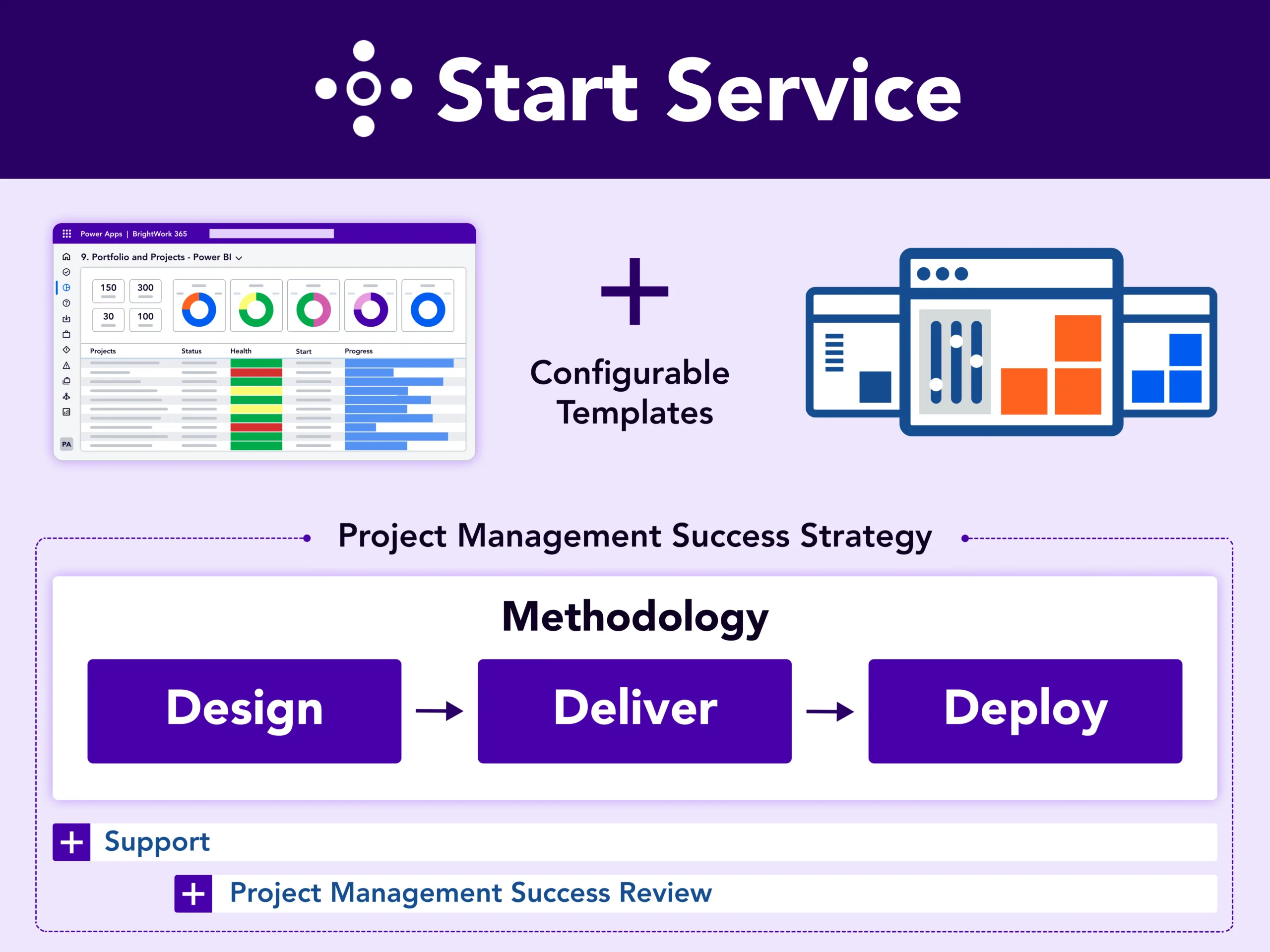
This structured approach is highly beneficial for PMOs that want to avoid designing an entire software deployment from scratch.
When a Standalone Platform Makes Sense
An independent platform is often the right choice if:
-
Your business already relies on several non-Microsoft software tools.
-
Different departments prefer a highly customized, dedicated work application.
-
Keeping project data inside your Microsoft 365 boundary is not a priority.
-
Your organization prefers to design workflows outside of standard Teams or SharePoint environments.
These are logical reasons to choose a different operating model, rather than keeping your PMO inside Microsoft 365.
A Simple Decision Path For Microsoft 365 Teams
-
If you only require lightweight task tracking, begin with Microsoft Planner.
-
If you need advanced scheduling and Gantt charts, review Planner Plan 1 and Planner and Project Plan 3, keeping in mind Microsoft’s current plan availability before choosing Plan 5.
-
If you want a structured PMO layer inside Microsoft 365, BrightWork 365 is a natural fit.
-
If you want a completely independent work system, compare standalone alternatives.
-
If you face an urgent timeline, use the Project Online retirement date as your target and appoint a single migration owner.
Choose The Project Online Alternative That Fits Your Operating Model
Selecting the right Project Online alternative comes down to your desired operating model. Microsoft Planner handles lighter task coordination beautifully. Standalone platforms suit teams that prefer to manage project work outside the Microsoft boundary. For PMOs that require intake controls, standardized templates, portfolio dashboards, and structured rollout support directly inside the Microsoft environment they already use, BrightWork 365 fits the native PMO layer.
If your team is currently evaluating Project Online migration paths, talk to the BrightWork team about the structure, portfolio visibility, and Microsoft 365 alignment your PMO needs next.