
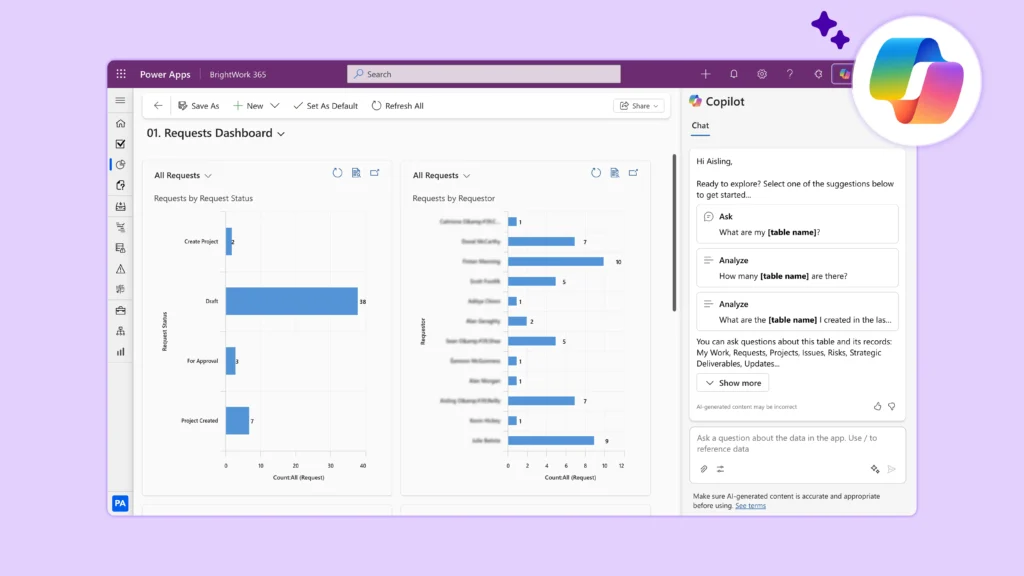
Project reporting is a cornerstone of successful delivery but for most teams, it’s also one of the most frustrating parts of project management.
Project managers spend hours pulling together data and updates. PMOs struggle to standardize reporting across portfolios. Executives receive reports but still lack the clarity needed to inform decisions.
The problem isn’t a lack of data; it’s the gap between raw project information and meaningful insight.
Today, AI is enabling project teams to close that gap.
Gartner reports that analysts expect 80% of PMOs are using AI to support decision-making in this year alone. With tools like Microsoft Copilot and Power BI, project reporting is evolving from manual status updates into real-time, intelligent, decision-ready insights. In this article, we’ll explore where traditional reporting breaks down, how AI improves the process, and what this means for project managers, PMOs, and business leaders.
Why Project Reporting Still Falls Short
Before exploring AI, it’s worth understanding why traditional project reporting struggles, especially across different roles.
For Project Managers and Project Leads
Reporting is often a time-intensive and repetitive task. You are required to gather data from multiple systems task tools, emails, spreadsheets, and meetings – just to compile a single update. Week after week, you find yourself rewriting similar reports, often under tight timelines. On top of this, translating detailed, operational updates into clear, concise summaries for stakeholders is not easy. The manual nature of the process increases the risk of inconsistencies, missed updates, or outdated information, adding further pressure to an already busy role.
For PMO Leaders
The challenge shifts from creating reports to making sense of them at scale. With multiple projects running simultaneously, reporting often lacks standardization. Each project team may present updates differently, making comparisons difficult. This inconsistency limits visibility across the portfolio and makes it harder to identify emerging trends, systemic risks, or dependencies between projects. As a result, PMOs can struggle to provide proactive guidance or strategic oversight.
For Senior Executives
The issue is not a lack of reporting, but a lack of clarity. They are frequently presented with reports that contain too much detail but not enough meaningful insight. By the time the reports reach them, the information may already be outdated, reducing its value for decision-making. Without clear signals on risks, priorities, or outcomes, executives are left to interpret large volumes of information rather than act on focused, decision-ready insights.
The issue lies in that project reporting is often manual, reactive, and disconnected from decision-making.
What AI Changes in Project Reporting
AI shifts project reporting from a static, administrative task into a dynamic, insight-driven capability.
Instead of manually gathering and presenting data, AI systems can:
-
Analyze large volumes of project data in real time
-
Detect trends, risks, and anomalies
-
Major milestones
-
Generate summaries and insights automatically
AI-powered reporting tools also incorporate machine learning and natural language processing to transform raw data into actionable intelligence.
This changes reporting in three important ways:
– From manual to automated
– From historical to predictive
– From data-heavy to insight-driven
How AI Solves Common Reporting Challenges
You won’t be fully leveraging AI, if you are only using it to speed things up. AI should fundamentally improve your project reporting engine – the way reports are created, shared, updated, and then consumed to inform decisions.
1. Faster, More Efficient Reporting
AI can automatically generate status updates by summarizing project activity, reducing the time spent on repetitive reporting tasks.
Impact: Project managers reclaim hours each week and focus on managing outcomes, not formatting reports.
2. Improved Data Quality and Consistency
AI tools pull data directly from integrated systems, tasks, schedules, costs – reducing reliance on manual inputs and minimizing errors.
Impact:
More accurate, consistent reporting across teams and projects.
3. Clearer, More Actionable Insights
AI doesn’t just present data, it interprets it.
Modern reporting tools highlight:
-
Trends
-
Key changes
-
Performance gaps
AI dashboards can also explain what’s happening and why, helping teams move beyond surface-level reporting.
4. Proactive Risk Management
AI uses predictive analytics to forecast potential issues, such as delays or cost overruns.
Impact:
Teams identify risks earlier and take action before problems escalate.
5. Reduced Reporting Overload
AI filters and prioritizes information, delivering tailored insights for each role.
Impact:
Executives see what matters most, without wading through unnecessary detail.
Using Microsoft Copilot to Elevate Project Reporting
The real power of AI comes when it’s embedded into everyday tools and this is where Microsoft Copilot stands out.
Copilot integrates across Microsoft 365, bringing AI directly into the tools teams already use.
For Project Managers
-
Generate status reports in Word or Loop
-
Summarize project updates from Teams and Planner
-
Identify risks and blockers from project activity
Result: Faster reporting with sharper insights.
For Project Teams
-
Summarize meetings and discussions in Teams
-
Automatically capture key decisions and actions
-
Generate weekly updates from project conversations
Result: Less manual coordination and more consistent reporting.
For Project Management Offices (PMOs)
-
Combine Copilot with Power BI to aggregate portfolio data
-
Generate executive summaries automatically
-
Identify trends and risks across projects
Result: Scalable, standardized reporting across the organization.
For Senior Executives
Ask natural language questions:
-
“How is the portfolio performing?”
-
“Which projects need attention?”
Copilot delivers visual, and contextual answers.
Result: Quicker review for more informed decision-making.
Power BI + Copilot: AI-Driven Reporting in Action
In Power BI, Copilot enables users to:
-
Create reports and dashboards using natural language
-
Generate summaries of data and visuals
-
Explore insights interactively
This allows users to move from raw data to actionable insights much faster than traditional reporting approaches.
AI Tools Supporting Modern Project Reporting
While Microsoft 365 forms a strong foundation, there is a broader ecosystem of AI-powered tools.
Microsoft Ecosystem (Primary)
-
Copilot (Microsoft 365) – summaries, reporting, insights
-
Power BI + Copilot – dashboards, analytics, forecasting
-
Teams + Copilot – meeting and collaboration insights
-
Excel + Copilot – data analysis
Best Practices for AI-Driven Project Reporting
For project managers and PMO leaders, the promise of AI is clear: less time spent creating reports and more time focusing on project delivery, governance, and strategic decision-making. However, realizing that value requires more than just adopting new technology. By following a few practical best practices, you can ensure AI enhances the quality, consistency, and impact of your project reporting.
Start with Clear KPIs and Reporting Goals
AI delivers the greatest value when it is focused on the metrics and outcomes that matter most to your stakeholders. Defining clear KPIs and reporting objectives upfront helps ensure AI generates insights that support decision-making rather than simply producing more information.
Ensure Your Project Data Is Clean and Structured
The quality of AI-generated insights depends on the quality of the underlying data. Consistent, accurate, and up-to-date project information helps ensure reliable reporting and forecasting.
Generate Drafts with AI, then Refine for Stakeholders
AI can quickly create status reports, summaries, and updates, significantly reducing administrative effort. However, project managers should review and tailor the output to provide context, highlight priorities, and address stakeholder needs.
Train Teams to Use Copilot Effectively
The quality of AI outputs often depends on the quality of user prompts and guidance. Investing in Copilot training helps teams generate better reports, ask better questions, and get more value from AI-assisted reporting.
Standardize Reporting Formats Across Teams
Using common templates, metrics, and reporting structures makes it easier to compare projects and identify trends across the portfolio. Standardization also enables AI tools to generate more consistent and meaningful insights.
Challenges to Consider
Like any transformation, AI-driven reporting comes with considerations:
-
Data quality and governance
-
Adoption and change management
-
Avoiding over-reliance on AI outputs
-
Integration across tools and systems
These challenges are manageable with the right approach and are part of building a more mature reporting capability.
Conclusion: From Reporting Work to Driving Outcomes
Project reporting is no longer just about tracking progress; it’s about enabling better decisions.
AI, especially within Microsoft 365, allows organizations to:
-
Report faster
-
Improve data accuracy
-
Deliver clearer insights
-
Act on risks sooner
Most importantly, it shifts reporting from a backward-looking activity to a forward-looking capability. The future of project reporting is pivoting from simply producing updates to delivering insights that drive project success, and AI enables that.