
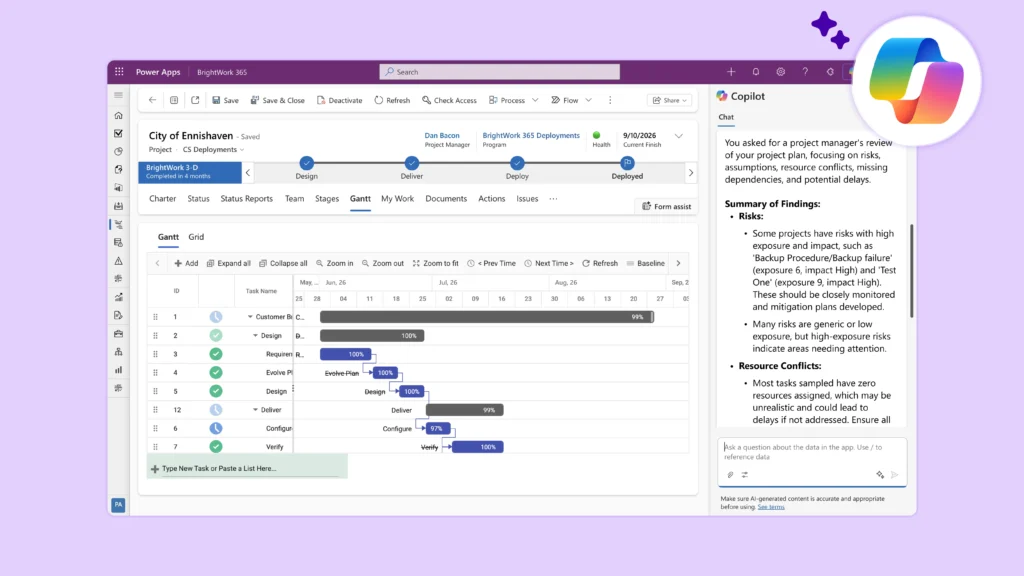
Project planning can be one of the most challenging parts of project management. The larger and more complex the project, the harder it becomes to account for tasks, dependencies, timelines, resource constraints, and potential risks.
Fortunately, project planning with AI can help project teams organize their thinking, identify gaps, and create a strong first draft of a project plan in a fraction of the time.
While the examples below use Claude and its Artifacts feature, the same prompts and workflows can be used with ChatGPT, Microsoft Copilot, Gemini, and most modern AI tools.
Step 1: Create the Project Charter
Before asking AI to build a project plan, start by documenting everything you already know about the project.
Include information such as:
-
Project objectives
-
Desired outcomes
-
Key stakeholders
-
Deadlines and milestones
-
Available resources
-
Budget considerations
-
Known requirements and constraints
Example Prompt – Project Charter
“Review the project information below and create a project charter. Include project objectives, scope, stakeholders, assumptions, constraints, milestones, and success criteria. Identify any information that appears to be missing.”
Expected Output – Project Charter
The AI should produce:
-
A draft project charter
-
A list of missing information
-
Potential assumptions that need validation
-
Initial project risks
Practical Tip
The quality of the output depends on the quality of the information you provide. Even rough notes, meeting summaries, emails, or project briefs can give the AI enough context to create a useful first draft.
Step 2: Organize the Project into Phases
Once the project charter is complete, ask the AI to organize the work into logical phases.
For example:
-
Discovery
-
Define
-
Design
-
Development
-
Testing
-
Deployment
Example Prompt – Organize Phase
“Based on the project charter, divide the project into logical phases. For each phase, provide a brief description, key objectives, major deliverables, and recommended exit criteria.”
Expected Output – Organize Phase
The AI should generate:
-
A phased project approach
-
Key deliverables for each phase
-
Major milestones
-
Recommended sequencing of work
Practical Tip
Review the proposed phases carefully. AI may suggest a generic project structure that should be adjusted to match your organization’s methodology and governance requirements.
Step 3: Break the Work into Tasks
After the phases have been established, ask the AI to break each phase into detailed tasks and sub-tasks.
Example Prompt – Tasks
“Create a work breakdown structure for this project. Break each phase into tasks and sub-tasks. Include recommended sequencing, estimated effort, dependencies, and potential risks.”
Expected Output – Tasks
The AI should generate:
-
A work breakdown structure (WBS)
-
Task lists by phase
-
Dependencies between activities
-
Areas that may create bottlenecks
Practical Tip
This step is often where project teams realize important work has been overlooked. Use the AI-generated task list as a starting point and refine it with input from subject matter experts.
Step 4: Create a Timeline
With the tasks identified, ask the AI to organize the work into a timeline.
If possible, provide examples of how your organization structures project schedules, Gantt charts, or project plans.
Example Prompt – Timeline
“Create a project schedule based on the tasks and dependencies identified. Estimate durations, identify critical milestones, and present the results in a format suitable for a project timeline or Gantt chart.”
Expected Output – Timeline
The AI should generate:
-
Estimated task durations
-
Major milestones
-
Critical dependencies
-
A draft project schedule
Practical Tip
Treat AI-generated durations as estimates, not commitments. Project teams should validate timelines against resource availability, organizational priorities, and historical project data.
Step 5: Stress-Test the Plan
Before finalizing the project plan, ask the AI to review the project critically.
Example Prompt – Stress-Test Plan
“Act as an experienced project manager reviewing this project plan. Identify potential risks, unrealistic assumptions, resource conflicts, missing dependencies, and areas that could cause delays.”
Expected Output – Stress-Test Plan
The AI should generate:
-
A risk assessment
-
Potential schedule concerns
-
Resource conflicts
-
Recommendations for improving the plan
Practical Tip
This step often uncovers issues that would otherwise be missed during the initial planning process. Think of AI as an additional reviewer that can challenge assumptions and highlight blind spots before execution begins.
Bringing It All Together
In a relatively short amount of time, AI can help transform a rough project idea into a structured project plan complete with phases, tasks, timelines, dependencies, and potential risks.
While human judgment remains essential, AI can significantly reduce the time required to create a first draft and help project teams begin planning from a stronger foundation.